19
3.3 Slide Scanning
3.3.1 Slide Scanning — Operation Interface
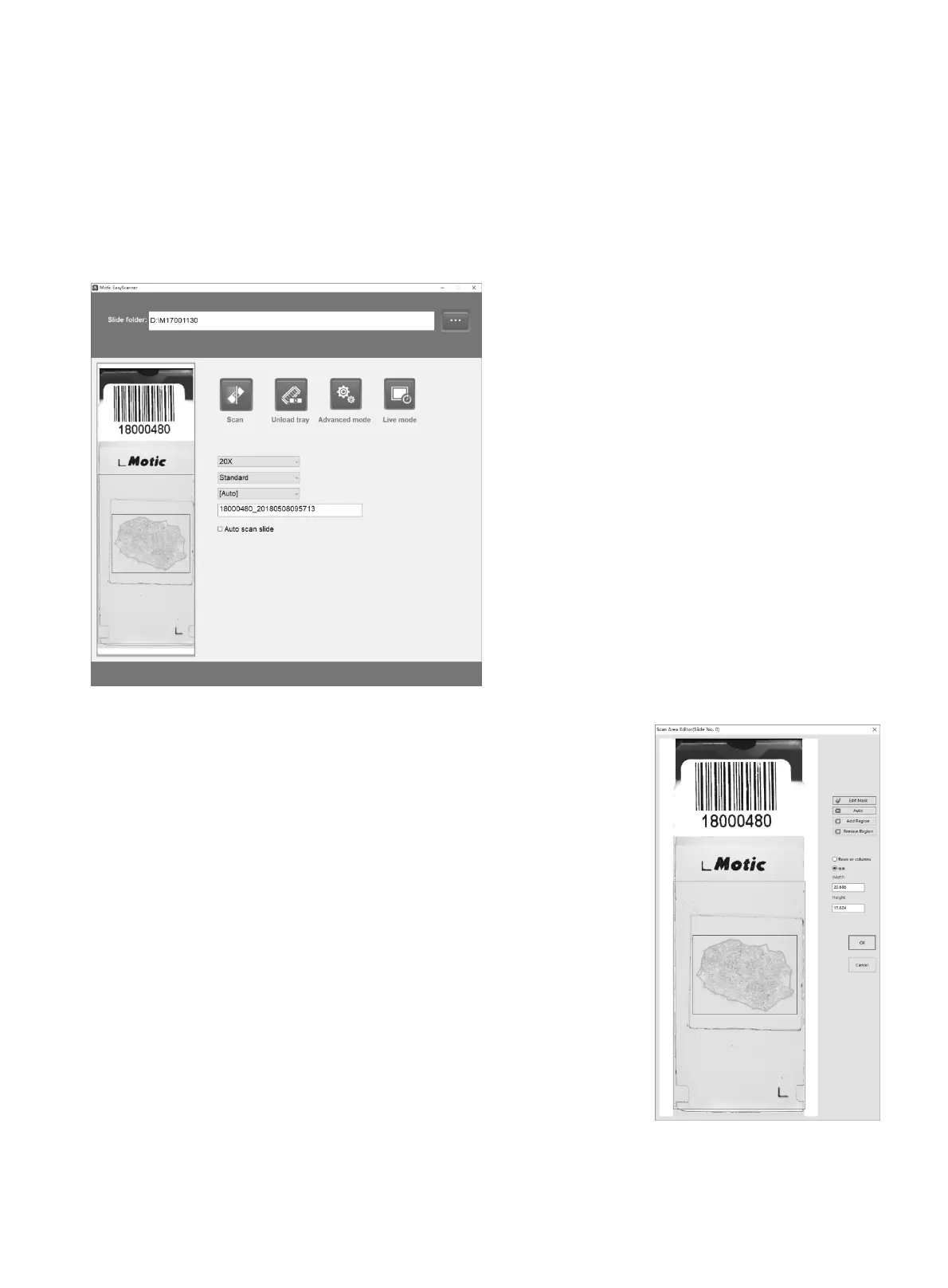
Operation interface can realize simplified operation and simplified setting. Operation interface is the
main interface of the scanning software.
Attention:
MoticEasyScan One provides automation for identifying tissues
outline in green as above picture shown. During scanning, scanner
will only scan the inner part of the green outline and automatically
skip over the outside empty part. When you click on the view of
macro picture on the operation interface, it will display the
“Scan Area Editor”
window as below shown.
Edit Mask: turn on/off the function of editable tissue outline.
Auto: detect scan area automatically with green curve outline.
Add Region: add scan region.
Remove Region: remove the scan region.
OK: save the change.
Cancel: cancel the change.


 To Next Page