26
5.2.3.2 Auto Calibration
It supports one key to do automatic calibration, and provides simple and efficient operation.
It is fit for only changing the objective, scanning poor quality images.
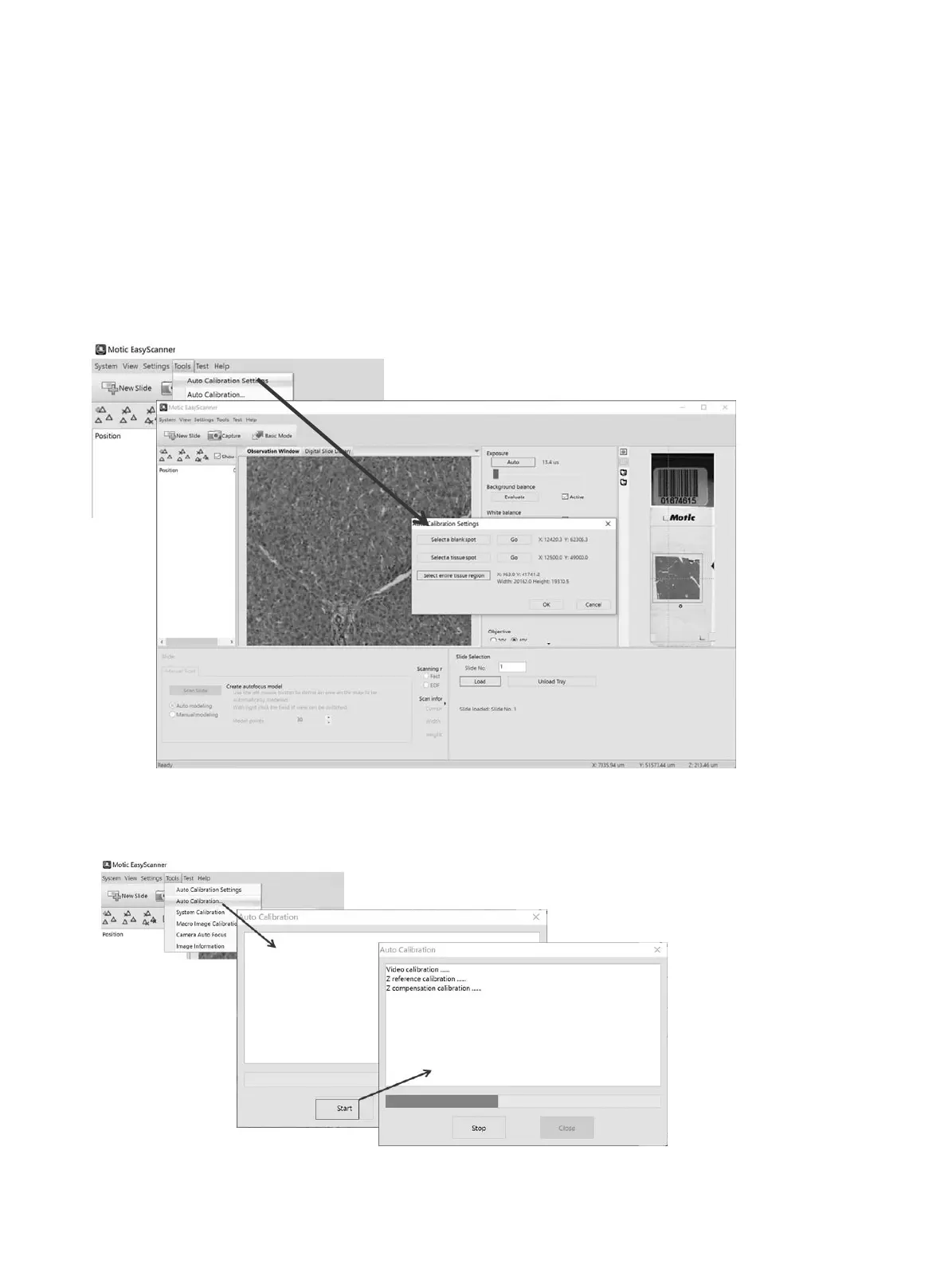
a. Auto Calibration Settings
Follow the wizard, select a blank spot & a tissue spot & entire tissue region in the map.
b. As shown in the following figure, it will automatic complete system calibration, macro calibration and
focus calibration.


 To Next Page