18
e. Advanced Mode:
click in to the advanced setting interface (need to input password, default
password: Motic12345).
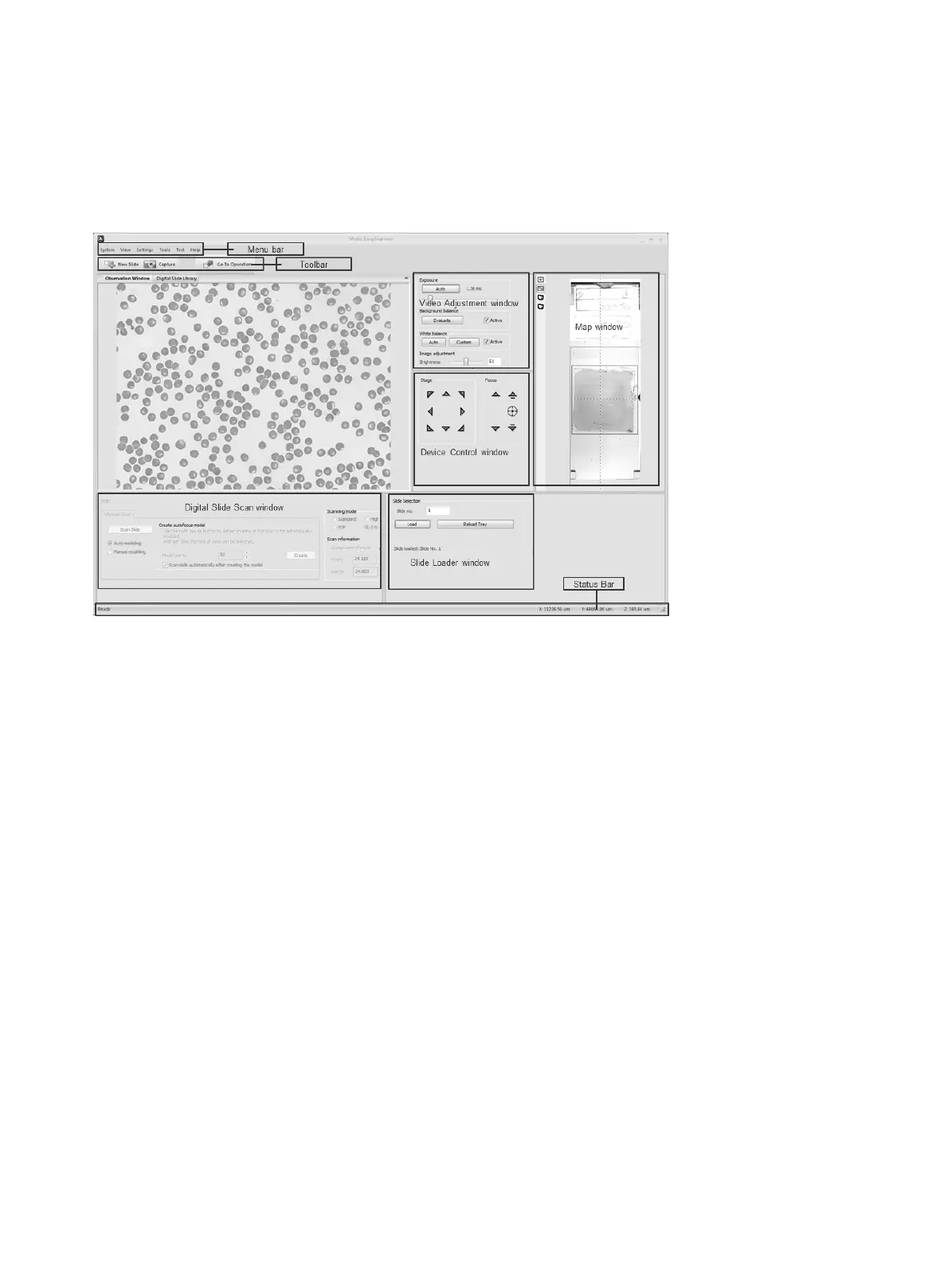
The advanced mode interface consists of a title bar, menu bar, tool bar, observation window, status bar,
and each Panel (such as video tuning, digital chips scanning and device control window).
User interface applies floating/ fixed window design, the user can customize the window layout, all
windows can be set as floating, fixed or hidden type. System will automatically save current window
layout, and take it as the default window next time when running the program.
Note:
● If “View” is selected in the menu — go to submenu “lock interface”, then all the windows will be
fixed and cannot be dragged or moved.
● System provides a default interface, select “View” menu — “load default interface” submenu,
user can recover initial interface layout at anytime.


 To Next Page