33
c. Focus Camera Calibration
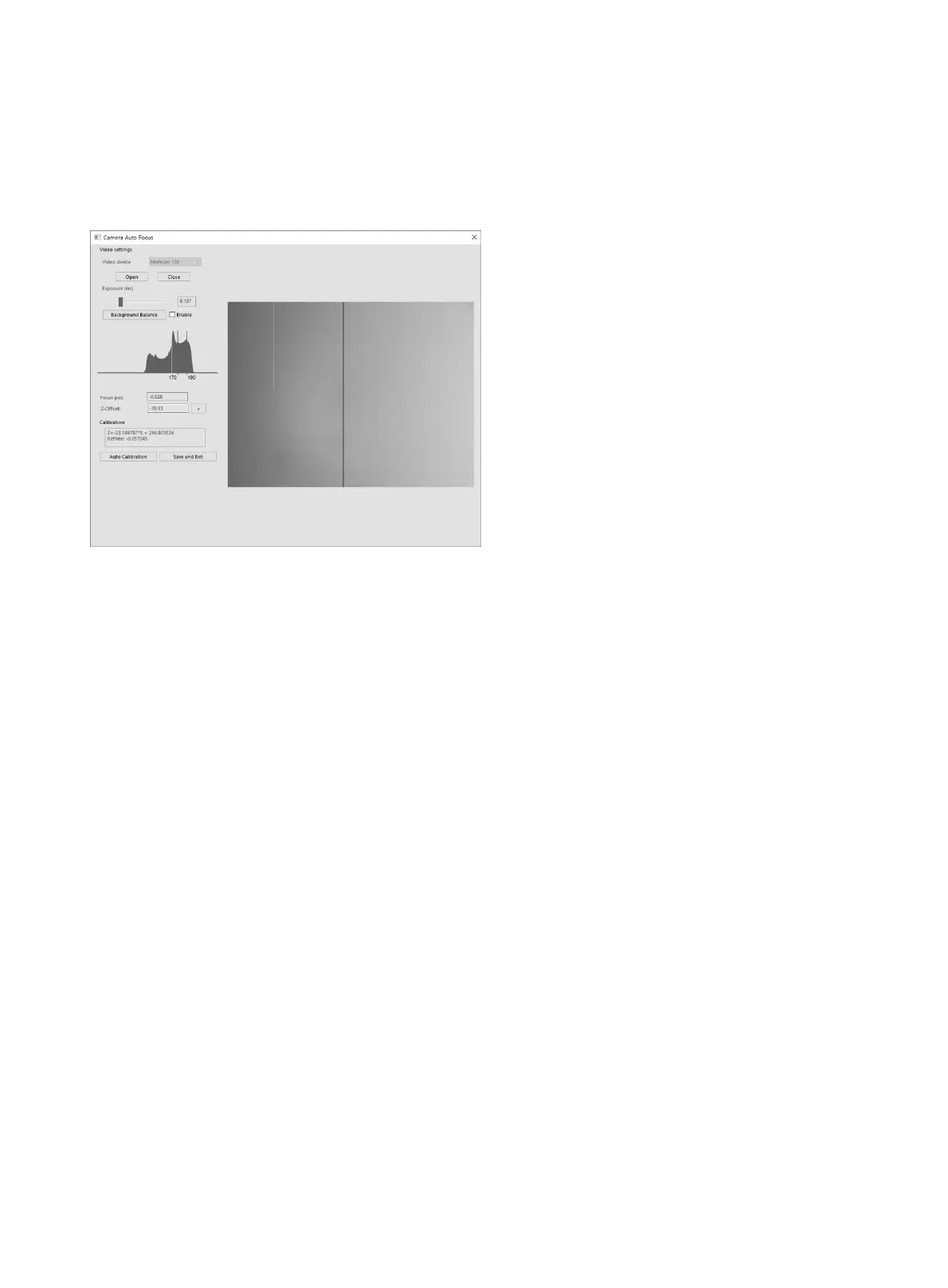
It is mainly to calibrate the video parameters of focus camera and the correspondence with z axis.
Please do as below to perform Camera Auto Focus Calibration (refer to the detailed instructions):
● Make sure a slide with rich texture has been placed on the slide magazine (such as slide1), then
load this slide.
● Select a field with content, focus the image, move to the blank area of slide, adjust exposure, ensure
the right half of histogram has no saturation.
● Click “Background Balance” button in the blank area of slide.
● Find a field filled with contents and adjust to focal plane; check the value of “Focus Pos”, if it is
greater or equal +/-0.1 the par focal settings of the hardware should be adjusted; if it is less than
+/-0.1, then click the “Auto Calibration” button which executes calibrating.
● Finally, click the “Save and Exit” button to exit the program and save the calibration values.


 To Next Page