EasyManua.ls Logo

Motorola 700 Series - User Manual

Motorola 700 Series
156 pages
Print Icon
To Next Page IconTo Next Page
Loading...
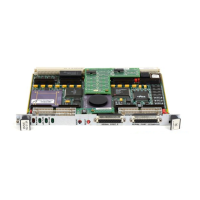
700/800-Series MVME162LX Embedded Controller Installation and Use
700/800-Series
MVME162LX
Embedded Controller
Installation and Use

Table of Contents

Questions and Answers

  • D
    David AndersonJul 27, 2025
    How to troubleshoot no display on Motorola Controller?
    • S
      Stephanie RochaJul 27, 2025
      If nothing is displaying on the Motorola Controller terminal, first, ensure the system is properly plugged in. If the LEDs are lit, the CPU board should be in the first (leftmost) slot for VMEmodules. Finally, ensure that the system console terminal is configured correctly as described in this manual.
  • B
    brownkrystalAug 5, 2025
    What to do if Motorola 700 Controller board fails tests?
    • R
      Rick HallAug 5, 2025
      If the Motorola Controller board fails its tests and cannot be corrected, document the problem and return the board for service due to a potential fault in the board hardware or debugging firmware.
  • S
    Scott SimsAug 16, 2025
    What to do if Motorola 700 Controller keyboard/mouse not working?
    • C
      Cassandra WeaverAug 16, 2025
      If the keyboard or mouse input has no effect on the Motorola Controller, recheck the keyboard and/or mouse connections and power. Also, check the board jumpers as described in this manual. Lastly, if you have accidentally activated flow control by pressing a HOLD or PAUSE key, press it again. If that doesn't work, type -Q.

Summary

Safety Summary

Lithium Battery Caution

Warns about the danger of explosion if the lithium battery is replaced incorrectly.

Board Level Hardware Description

Hardware Preparation and Installation

Jumper Configuration

Lists and explains the function of various jumper headers for board configuration.

MVME162 LX Installation

Step-by-step instructions for installing the MVME162LX into a VME chassis.

Debugger General Information

Installation, Startup, and Booting

Covers 162Bug installation, startup, autoboot, ROMboot, and network boot procedures.

Using the 162 Bug Debugger

Entering and Managing Commands

Explains entering commands, terminal I/O control, command syntax, and parameters.

The 162 Bug Debugger Command Set

Summarizes the available 162Bug debugger commands and their syntax.

Configure and Environment Commands

Troubleshooting CPU Boards

Solving Startup Problems

Provides simple troubleshooting steps for CPU board startup difficulties.

Motorola 700 Series Specifications

General IconGeneral
BrandMotorola
Model700 Series
CategoryController
LanguageEnglish

Related product manuals