LIFE. POWERED.
Back Next
More Support
+
Welcome
Your phone
Let’s go
Touchscreen & keys
Home screen
Personalize
Apps
Calls
Contacts
Social networking
Messaging
Text entry
Photos & videos
Music
Browser
Location
Webtop application & Entertainment Center
Bluetooth™ & Wi-Fi connections
File transfer
Schedule
Security
Tips & tricks
Troubleshooting
Product Safety & Legal
Bluetooth™ & Wi-Fi connections
Bluetooth™ & Wi-Fi connections
lose the wires
Connect your phone to Bluetooth headsets or fast Wi-Fi
networks.
Quick start: Bluetooth & Wi-Fi
Connections
Find it: Menu > Settings > Wireless & networks
>
Bluetooth settings or WLAN settings
• To connect Bluetooth devices, touch Menu
>
Settings > Wireless & networks > Bluetooth
>
Bluetooth settings > Scan for devices (or Bluetooth,
MB865
Bluetooth
Device name
Pair with this device
Bluetooth settings
Bluetooth devices
Make device discoverable
Discoverable
Scan for devices
(found device name)
Turn on & scan.
Change your phone’s Bluetooth
name.
Turn on & scan.
Connect a network.
Connect a device.
Let Bluetooth devices find your
phone.
if it is off). Touch a device that your phone found, to
connect it.
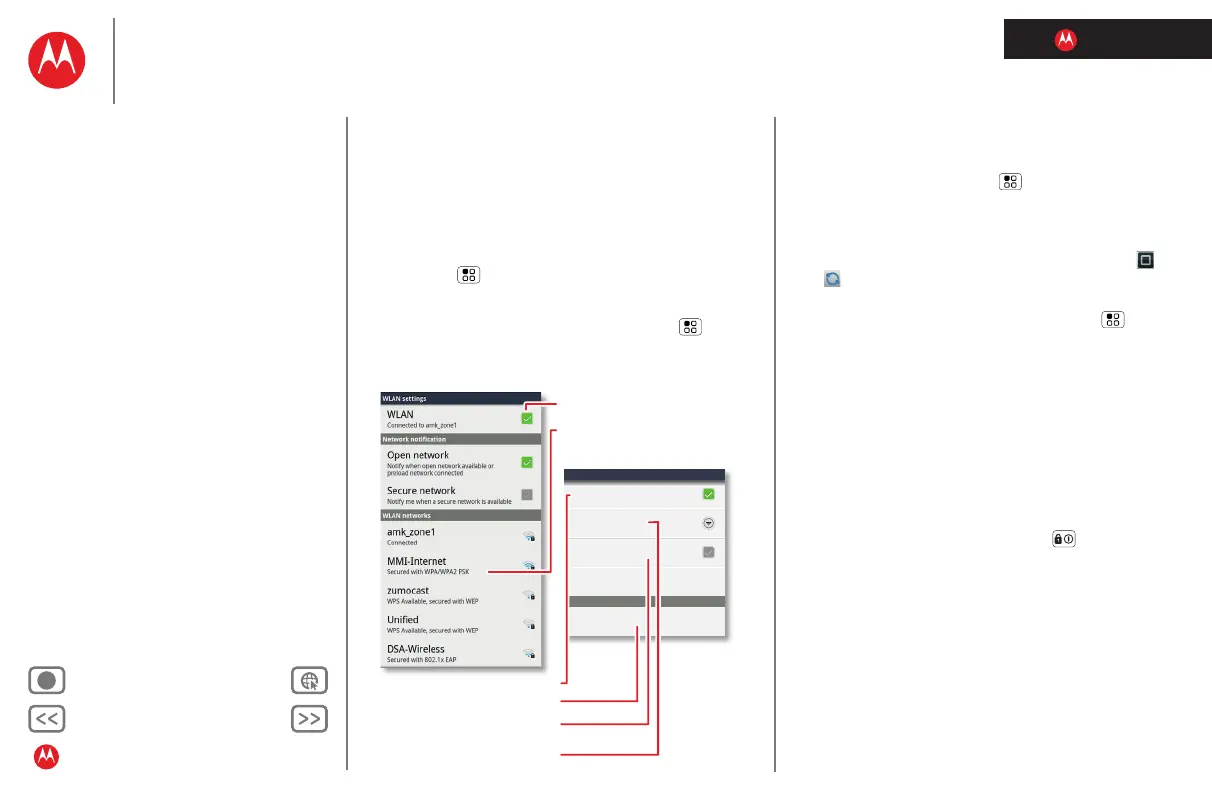
• To use a Wi-Fi network for fast Internet access and to
download data, touch Menu >
Settings > Wireless &
networks
> WLAN settings.
If your Wi-Fi network has other DLNA™ Certified
devices, you can use them to play or transfer the videos,
pictures, and music stored on your phone: Touch
>
DLNA.
• To make your phone a hotspot that other devices can
use to connect to the Internet, touch Menu
>
Settings > Wireless & networks > Tethering & Mobile
hotspot
> Mobile hotspot.
Tips & tricks
• Turn off Bluetooth power and Wi-Fi power to extend
battery life or stop connections. Turn them off and on
to search.
To add a quick switch, touch and hold a blank spot on
your home screen, then touch
Widgets > Bluetooth
toggle
.
• To quickly turn off all wireless and network
connections, press and hold Power , then touch
Airplane mode.
Bluetooth handsfree devices
Note: This feature requires an optional accessory.
To connect with a new device, you need to pair with it. You
only need to do this once for each device—to connect
again, just turn on the device.
1 Make sure the device you are pairing with is in
discoverable mode.
Refer to the guide that came with the device for details.



 To Next Page
 Loading...






