57
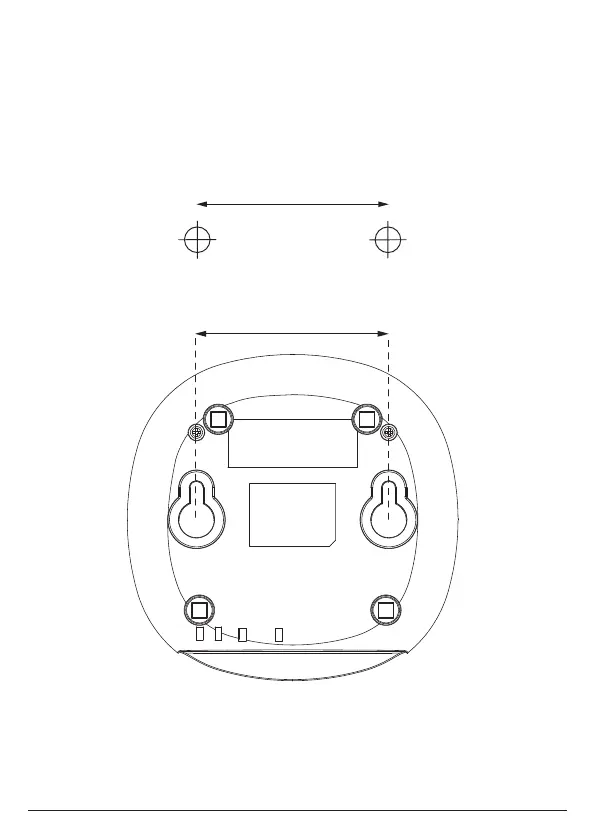
18. Wall mounting
Important
Before you wall mount your Motorola AX base, check that you are not drilling into
any hidden wiring or pipes.
Before you drill, make sure all the cables will reach the router, telephone socket and
AC outlet.
1. Use the following templates to mark the drilling locations.
2. To wall-mount the base, drill two holes in the wall 6.6cm apart horizontally
using an 5mm drill bit.
3. Insert the wall plugs if necessary, then insert the screws leaving about 5mm
protruding from the wall on which to hang the phone.
6.6cm
Wall mounting
6.6cm



 To Next Page
 Loading...