15
Getting to know your phone
Battery is running low.
Flashes when battery is almost fully discharged.
1
For this feature to work, you must subscribe to Caller ID Service from your
network operator. A subscription fee may be payable.
2
This feature is dependent on your Network Service provider supporting the
service. A subscription fee may be payable.
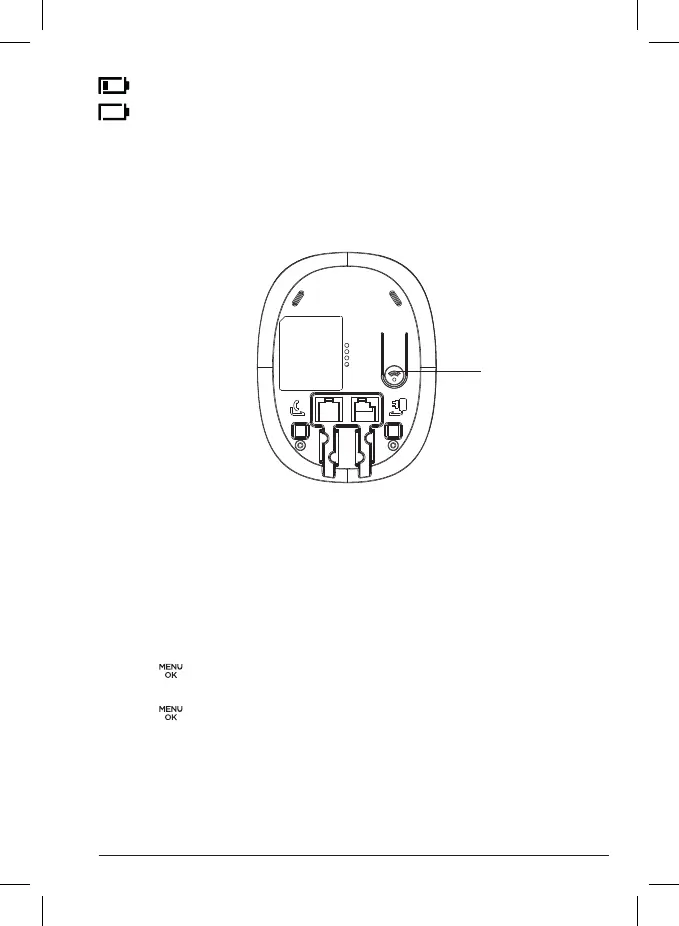
Overview of the base
A Page
In standby mode, press to ring the handset(s).
Press and hold to enter registration mode when registering handsets.
Navigating the menus
Your C1CB+ has an easy-to-use menu system.
Each menu has a list of options, which you can see on the menu map on the
following page.
When the handset is switched on and in standby mode:
1. Press to open the main menu.
2. Then use u or
d
buttons to scroll through the available options.
3. Press to select an option. To return to the previous menu level,
press
B
. To exit the menu and return to standby mode, press e.
Note
If no buttons are pressed for 30 seconds, the handset returns to
standby mode automatically.
A


 To Next Page