32
Base settings
9.4 Recall mode
This setting is useful to access certain network and PABX/switchboard
services.
The default recall time is suitable for your country and network operator. It is
unlikely that you should need to change this setting unless advised to do so.
1. Press , scroll
d
to
ADVANCED SET
.
2. Press , scroll
d
to
RECALL TIME
and press .
3. Press u or
d
to select
SHORT
,
MEDIUM
or
LONG
and press to confirm.
9.5 Dial mode
Your C1CB+ is set to tone dialling. You should only need to change this if
connected to an older type of switchboard / PBX which requires pulse dialling.
1. Press , scroll
d
to
ADVANCED SET
.
2. Press , scroll
d
to
DIAL MODE
and press .
3. Press u or
d
to select
TONE
or
PULSE
and press to confirm.
9.6 Change base PIN code
Some functions are protected by a 4 digit PIN code which must be entered if
you want to change the settings. The default PIN is 0000. You can change this
to your own preferred number.
When you enter a PIN, the digits are shown as ****.
1. Press , scroll
d
to
ADVANCED SET
.
2. Press , scroll
d
to
CHANGE PIN
.
3. Press . The display shows
NEW -- -- -- --
, enter the new 4 digit PIN code.
4. Press . The display shows
CONFIRM
.
5. Re-enter the new PIN and press to confirm.
Important
If you change the PIN code, keep a record of the new number.
9.7 Registering an additional handset
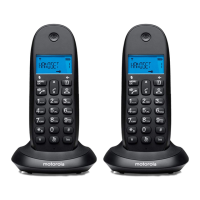
You can register up to 4 handsets to your C1CB+ base to extend your phone
system without having to install extension sockets for each new phone.
If you have purchased a C1CB+ multiple pack, all additional handsets come
pre-registered to the base.
If you have purchased an additional handset separately, you must register it to
your C1CB+ base before it can be used.
Note
Handset batteries must be fully charged before you start to register. Hold your
handset close to the base during the registration process. Handsets that were
supplied with your C1CB+ base are already pre-registered.


 To Next Page