9Getting to know your phone
H Display
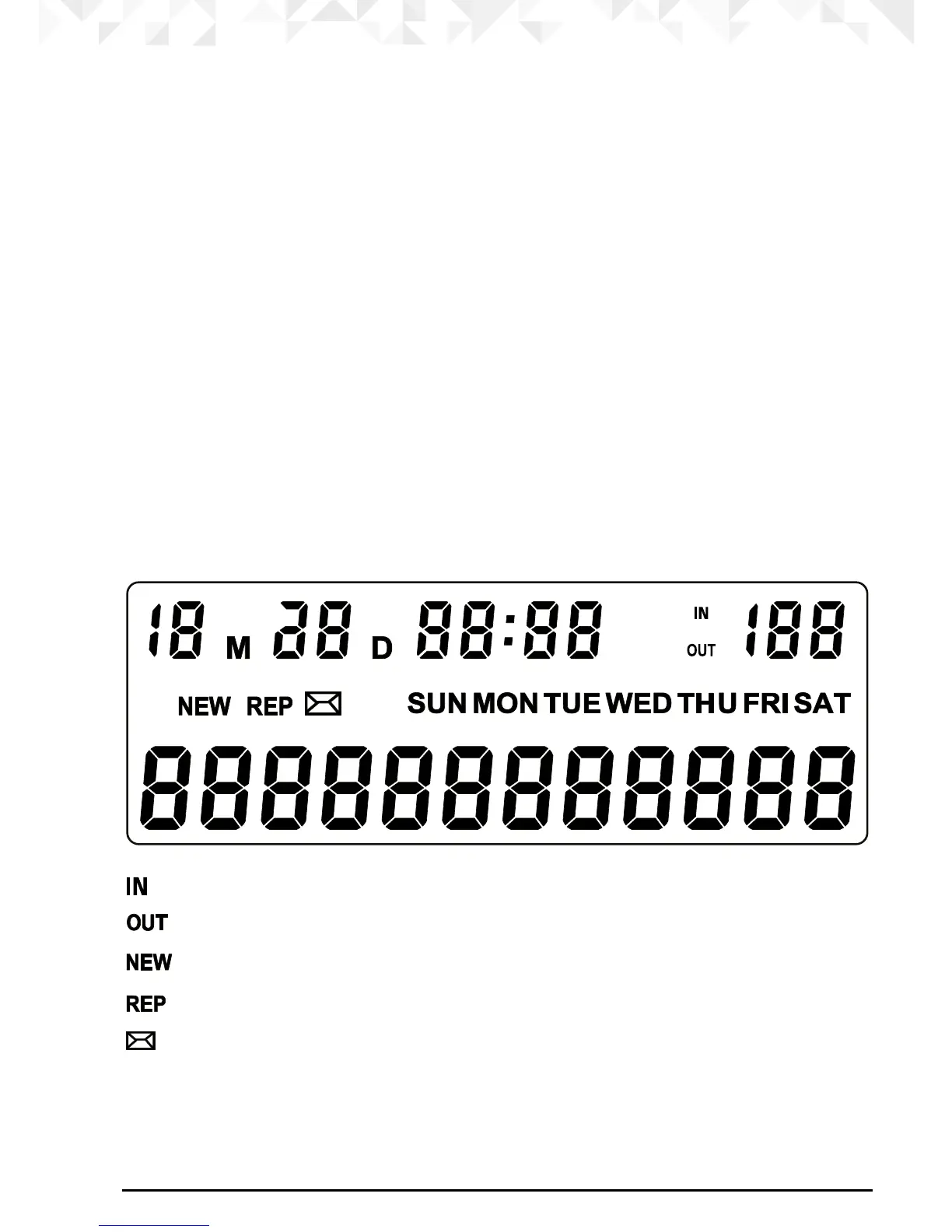
See below for an overview of display icons.
I Volume
Press to increase / decrease the volume level.
J Hold
Press to put your caller on hold.
K Redial
Press to view last number dialled out and continue pressing to scroll through stored
numbers.
L Down
Press to scroll down through the menu.
In standby mode press to open the calls list.
M Hands-free
Activate and deactivate the hands-free during / when making a call.
N Last number redial
Press to redial the last number dialled.
Display
Indicates when you are viewing the received calls list.
1
Indicates when you are viewing the redial list.
Flashes when you have received a new call.
Indicates when you have more than 1 missed call from the viewed number.
Indicates when you have a voicemail waiting.
2
1
For this feature to work, you must subscribe to Caller ID Service from your network
operator. A subscription fee may be payable.
2
This feature is dependent on your Network Service provider supporting the service.



 To Next Page