EasyManua.ls Logo

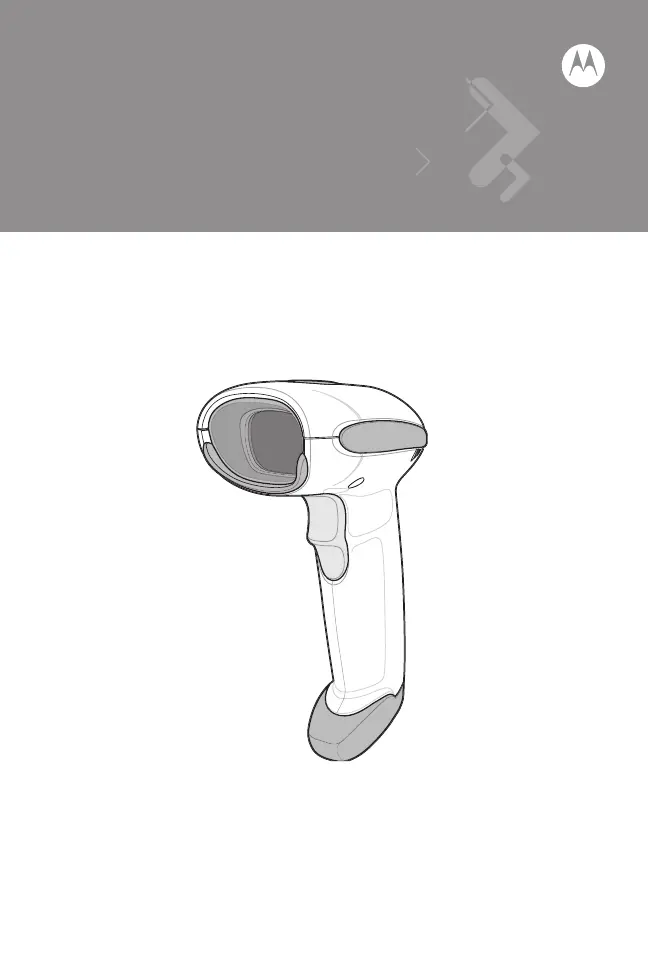
Motorola LS4208 - User Manual

Motorola LS4208
16 pages
Print Icon
To Next Page IconTo Next Page
Loading...
LS4208
Quick Reference Guide

Questions and Answers

  • H
    heatherreynoldsAug 11, 2025
    What to do if the symbol is decoded but not transmitted to the host from Motorola Barcode Reader?
    • J
      Jacob EsparzaAug 11, 2025
      If a symbol is decoded but not transmitted to the host from your Motorola Barcode Reader, the scanner might not be programmed for the correct host type. Scan the appropriate host type bar code to resolve this.
  • J
    jennifernealAug 18, 2025
    Why is scanned data incorrectly displayed on the host with my Motorola LS4208 Barcode Reader?
    • C
      Craig CombsAug 18, 2025
      If the scanned data is incorrectly displayed on the host, the Motorola Barcode Reader might not be correctly programmed to work with the host. Make sure the correct host is selected and check the scanner’s host type parameters or editing options. If you're using RS-232, ensure the scanner’s communication parameters match the host’s settings. For a keyboard wedge configuration, make sure the system is programmed for the correct keyboard type and that the CAPS LOCK key is off. Also, ensure editing options like UPC-E to UPC-A conversion are properly programmed.
  • V
    Vanessa RobersonAug 26, 2025
    What to do if the laser comes on but the Motorola LS4208 doesn't decode the symbol?
    • V
      victor59Aug 26, 2025
      If the laser comes on but the symbol does not decode on your Motorola Barcode Reader, the scanner might not be programmed for the correct bar code type. Also, the bar code symbol might be unreadable, so check the symbol to ensure it is not defaced and try scanning test symbols of the same bar code type. Finally, the distance between the scanner and bar code might be incorrect, so move the scanner closer to or further from the bar code.
  • D
    donaldmartinSep 2, 2025
    Why nothing happens when I pull the trigger on my Motorola LS4208 Barcode Reader?
    • P
      pwarrenSep 2, 2025
      If nothing happens when you pull the trigger on your Motorola Barcode Reader, it could be due to no power to the scanner. Check the system power and ensure the power supply is connected if your configuration requires one. Also, interface/power cables could be loose, so check all cable connections to make sure they are secure.

Motorola LS4208 Specifications

General IconGeneral
TypeHandheld
TechnologyLaser
ConnectivityUSB, RS-232, Keyboard Wedge
Scan Rate100 scans per second
Scan PatternSingle Line
Resolution0.1 mm (4 mil)
Decode CapabilityUPC/EAN, Code 39, Code 128, Code 93, Codabar, Interleaved 2 of 5, MSI
Operating Temperature0 to 50 °C
Storage Temperature-40°F to 158°F (-40°C to 70°C)
Humidity5% to 95% non-condensing
Drop Specification6 ft drop to concrete
Weight6.5 oz
Cable Length6 ft

Related product manuals