20
main attractions
to http://www.itunes.com/mobile/motorola or
visit: http://www.hellomoto.com.
take & send a photo
From the home screen, press the
CAMERA
key
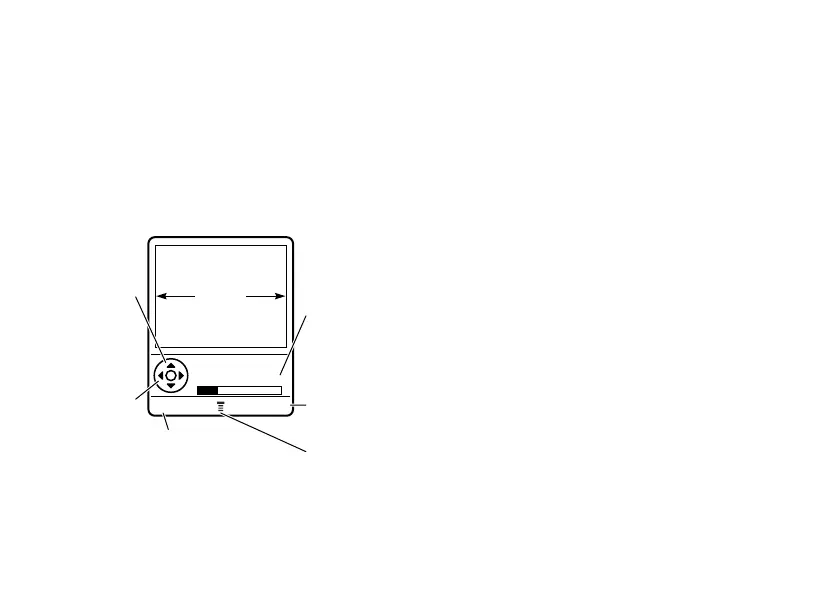
to see the camera viewfinder:
Tip:
With camera active to adjust lighting
conditions press
M
>
Pictures Set-up
>
Lighting
Conditions
>
CHANGE
.
1
Point the camera lens at the photo
subject.
2
Press
CAPTURE
to take a photo.
•
To delete the photo and return to the
active viewfinder, press
DISCARD
.
•
To store or send the photo, press
STORE
.
Your storage options are
Send in Message
,
Store Only
,
Apply as Wallpaper
,
Apply as Screen Saver
, or
Apply as Phone Entry
.
camera settings
Press
M
in the viewfinder to open the
Pictures Menu
. This menu can include the
following options:
BACK CAPTURE
Return to
previous screen.
Press
S
up/down to
zoom in/out.
Press
S
left/right to
decrease/
increase
brightness.
Press
M
to open
Pictures Menu
.
Memory
Used (Phone
or Memory
Card)
Take a
photo.
IMAGE
AREA
Photo Viewfinder
Memory Used:22%












 To Next Page