33
basics
basics
See page 1 for a basic phone diagram.
display
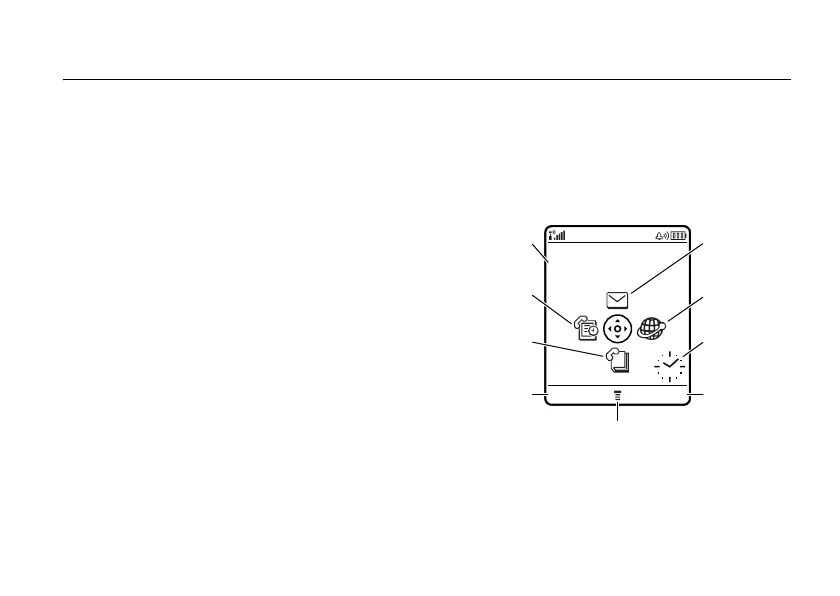
The home screen displays when you turn on
the phone. To dial a number from the home
screen, press number keys and
g
.
Note:
Your home screen may look different
than this one, depending on your service
provider.
The menu indicator
M
shows that you can
press
M
to open the menu. Soft key labels
RECENT MEDIA NET
Service Provider
10/15/05
Date
Clock
Browser
Menu Indicator
Right
Soft Key
Label
Left
Soft Key
Label
Messaging
Recent Calls
Address Book












 To Next Page