EasyManua.ls Logo

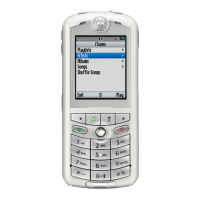
Motorola ROKR E1 - Settings Menu; Optional Features

Motorola ROKR E1
214 pages
Print Icon
To Next Page IconTo Next Page
To Previous Page IconTo Previous Page
Loading...
6
feature locator
settings menu
É
Tools
• SIM Apps *
• Calculator
• Datebook
• Shortcuts
•Alarm Clock
• Recent Calls
• Dialing Services
•Fixed Dial
• Service Dial
l
Personalize
• Rhythm Lights
• Home Screen
• Main Menu
•Skin
• Greeting
• Wallpaper
• Screen Saver
t
Audio
•Style
• Style Detail
• Ring Lights
• Event Lights
L
Connection
• Bluetooth Link
•Sync
• USB Settings
H
Call Forward
• Voice Calls
• Fax Calls
• Data Calls
• Cancel All
•Forward Status
U
In-Call Setup
• In-Call Timer
• My Caller ID
• Talk and Fax
• Answer Options
• Call Waiting
Z
Initial Setup
• Time and Date
• 1-Touch Dial
• Display Timeout
• Backlight
• TTY Setup *
•Scroll
• Vibe Sync
• Language
• Brightness
•DTMF
• Master Reset
• Master Clear
m
Phone Status
• My Tel. Numbers
•Battery Meter
• Storage Devices
• Other Information
S
Headset
• Auto Answer
• Voice Dial
J
Car Settings
• Auto Answer
• Auto Handsfree
• Power-Off Delay
• Charger Time
∅
Airplane Mode
• Airplane Mode
• Prompt at Startup
j
Network
•Network Setup
• Service Tone
• Network Jingle
• Call Drop Tone
u
Security
• Phone Lock
• Lock Keypad
• Lock Application
• Fixed Dial
• Restrict Calls
• SIM PIN
• New Passwords
• Certificate Mgmt
c
Java Settings
• Java System
• Delete All Apps
• App Vibration
• App Volume
• App Backlight
u
Web Access
•Browser
• Web Shortcuts
• Stored Page
•History
•Go to URL
•Browser Setup
• Web Sessions
* optional features

Table of Contents