40
basics
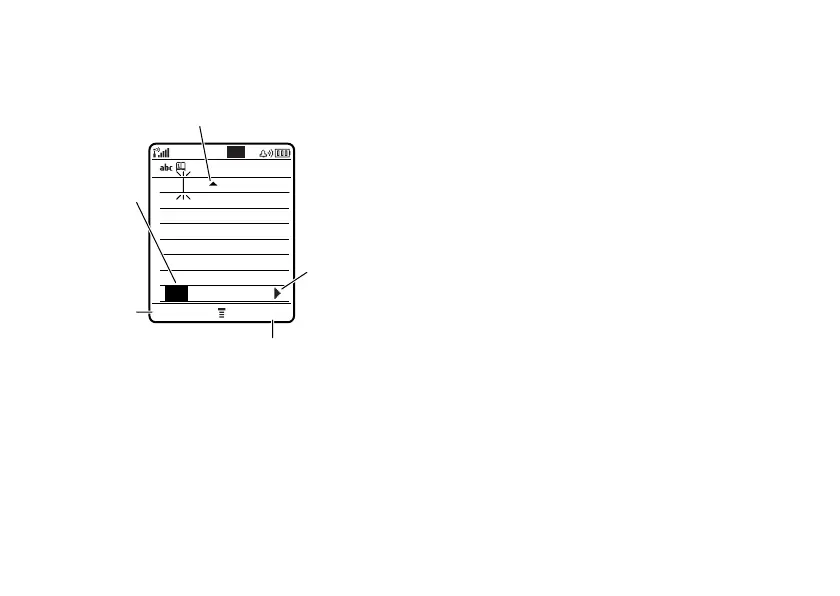
For example, if you press
7764
,
your phone displays:
•
If you want a different word (such as
Progress
), continue pressing keypad keys
to enter the remaining characters.
•
To enter numbers quickly, press and
hold a number key to temporarily
switch to numeric mode. Press the
number keys to enter the numbers you
want. Enter a space to change back to
iTAP mode.
•
Press
1
to enter punctuation or other
characters.
tap mode
Press
#
in a text entry screen to switch to
tap mode. If you don’t see
g
or
m
, press
M
>
Entry Setup
to set tap mode as your
primary or secondary text entry mode.
To enter text in tap mode, press a keypad key
repeatedly to cycle through the letters and
number on the key. Repeat this step to enter
each letter.
442
Press
*
to
enter
Prog
&
a space.
Press the
DELETE
key to
delete last
letter.
Press the
SEND TO
key to send this
message to another number or email.
Press
S
right to
highlight
another
combination.
Press
S
up to accept
Program
.
DELETE SEND TO
Prog ram
Prog Proh Spoi Proi
Msg












 To Next Page