26
Getting Started
1
Remove the battery from its protective clear plastic case.
2
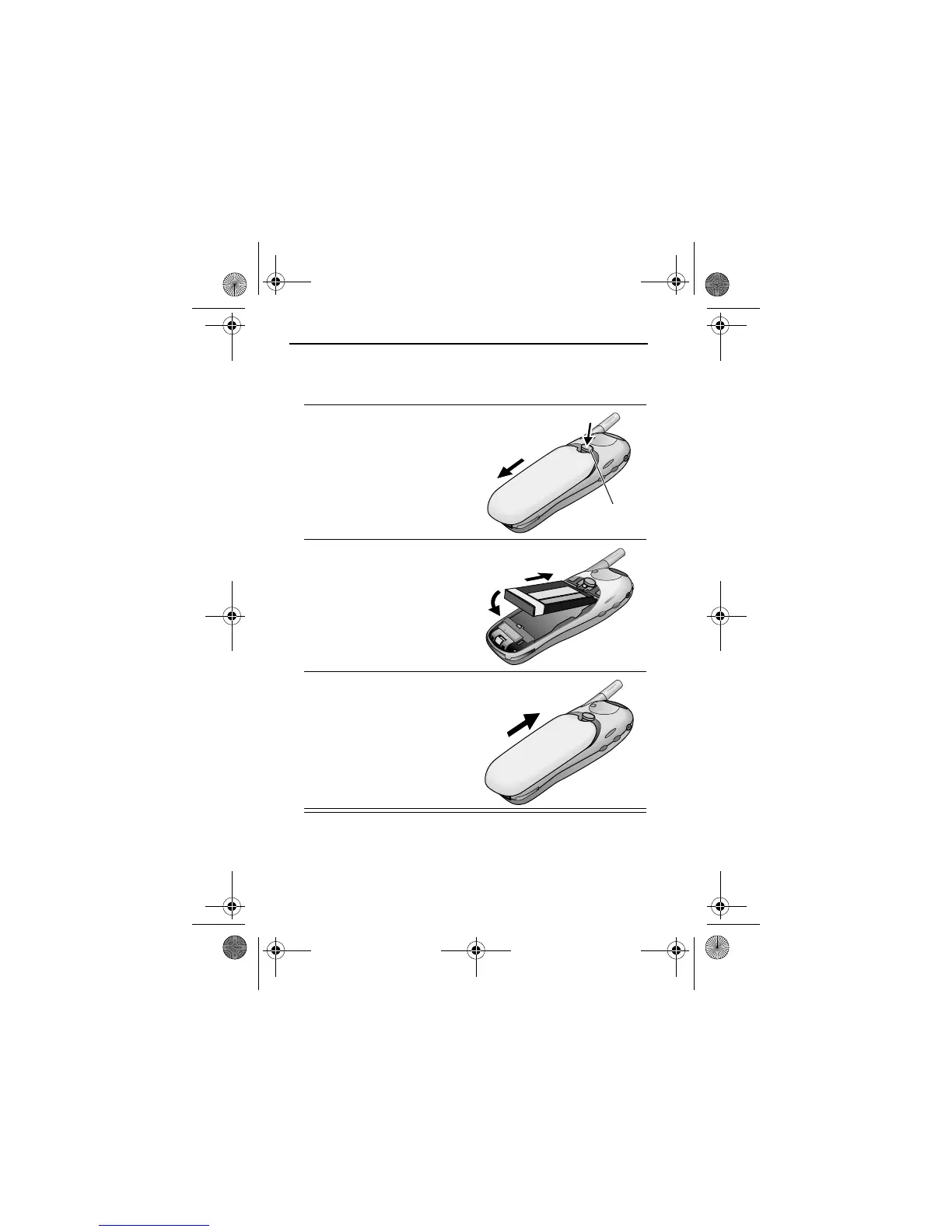
If the phone’s battery
door is already in place,
push down the battery
door release latch, then
slide the door down and
lift off.
3
Insert the battery, printed
arrow first, into the
battery compartment and
push down.
4
Replace the battery door,
then slide the door up
until it clicks into place.
Release
latch
User.Guide.GSM.book Page 26 Tuesday, February 5, 2002 6:17 PM










 To Next Page