25
Getting Started
Installing the Battery
Before you can use your phone, you need to install and charge
the battery.
Your phone is designed to be used only with Motorola
Original batteries and accessories. We recommend
that you store batteries in their protective cases when
not in use.
3
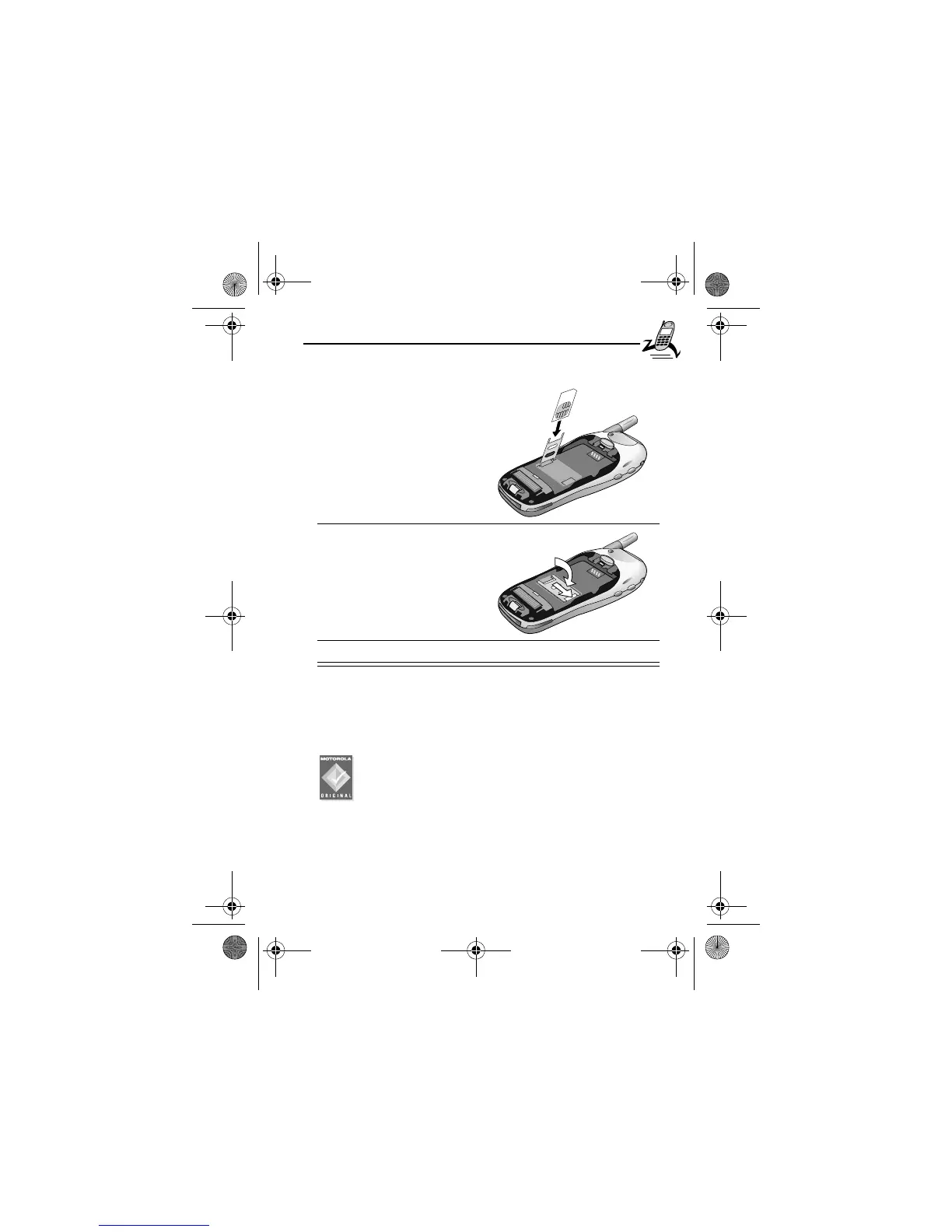
Insert the SIM card into
the SIM card door with
the notch in the upper
right corner and the gold
plate facing down.
4
Close the SIM card door
and slide it to the right to
lock the SIM card in
place.
5
Install the battery as described in the following section.
User.Guide.GSM.book Page 25 Tuesday, February 5, 2002 6:17 PM










 To Next Page