33
About Your Phone
➊
5
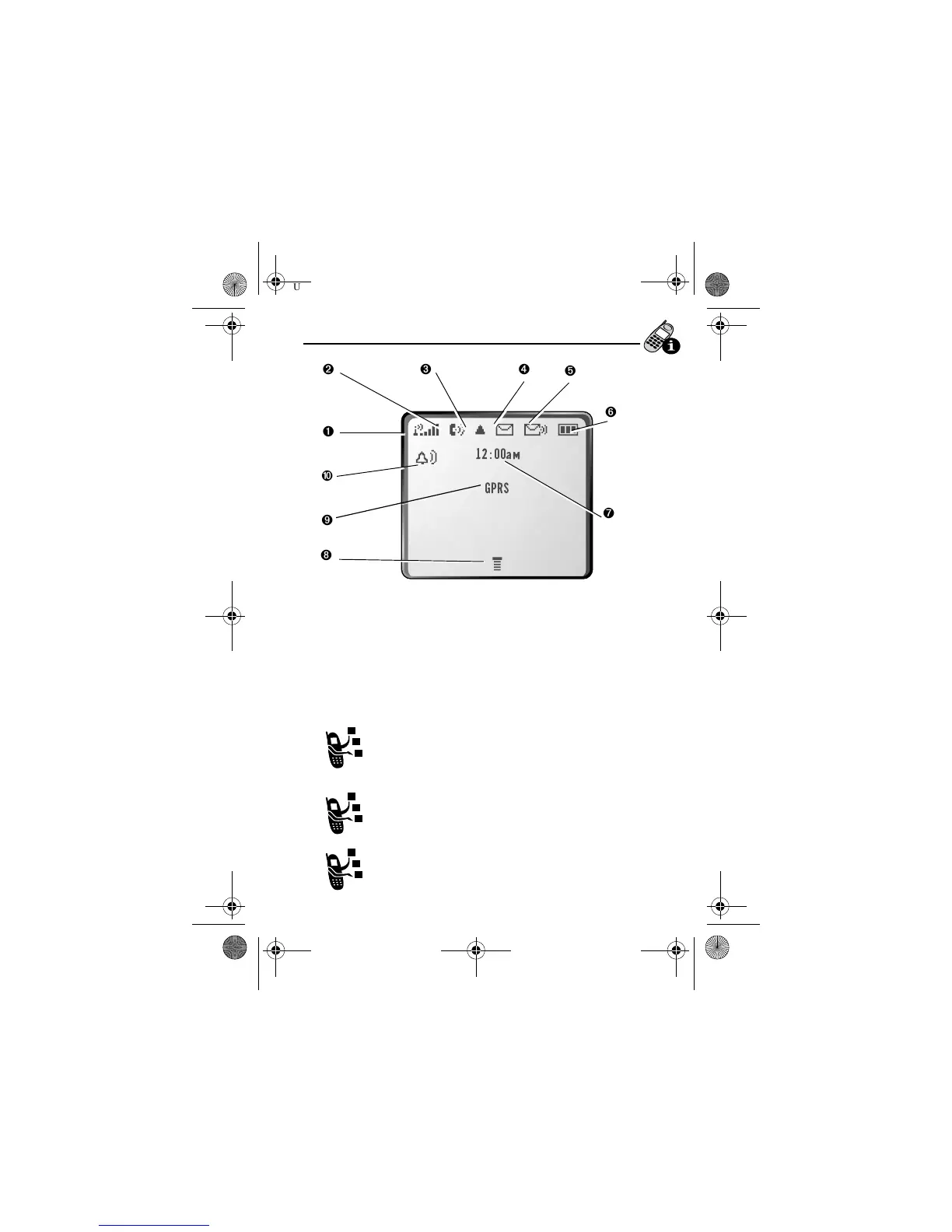
Signal Strength Indicator Shows the strength of
your phone’s connection with the network.
You cannot make or receive calls when the “no signal” indicator
is displayed.
➋
O In Use Indicator Appears when a call is in progress.
➌
, Roam Indicator Appears when your phone
uses another network system outside your home
network. When you leave your home network area,
your phone roams or seeks another network.
➍
= Message Waiting Indicator Appears when
your phone receives a text message.
➎
& Voice Message Waiting Indicator
Appears when you receive a voicemail message.
Strong
5
4
3
2
1
j
No signal
12:00am
GPRS
➓
➒
➐
➑
➊
➏
➋
➌
➍
➎
User.Guide.GSM.book Page 33 Tuesday, February 5, 2002 6:17 PM










 To Next Page