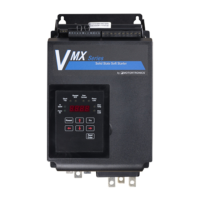
Basic Installation and Operation Guide
VMX Series Digital Solid State Soft Starters 18 – 1250A
VMX Quick Setup Guide 26 | P a g e
Function 51 Internal protection features
Several protection features in the VMX Series are accomplished with internal hardware and use
software switches in Function 51 to enable or disable them. The following chart shows these functions
and the factory default settings. Refer to the Advanced Installation, Operation and Programming
Manual, Section 5.6.8.a for details on how to change these settings.
Phase Rotation protection.
Phase rotation must match selection in Bit #2 below. Setting to Off (0) will make the VMX
insensitive for use behind a reversing contactor
2 = A-B-C Phase Rotation Sequence Only
0 = A-C-B Phase Rotation Sequence Only
Phase Current Loss, any phase current reading is less than 8 - 20% (Depending on frame
size) of unit max amp rating after 3 seconds from Start command.
At least one SCR has shorted; there is no voltage drop across the SCR phase assembly.
Shunt Trip of the main Circuit Breaker or Isolation Contactor (if provided and wired to an Aux.
relay in F060-F061)). 2 or more SCRs have shorted in opposing phases so current was
flowing to the motor while the VMX was in the Off state.
PTC Trip function. This can be disabled so that a jumper is not required across the PTC inputs.
Protection against loss of input line voltage. Disable when using an In-Line Isolation
Contactor or any other system that normally removes line power from the starter. Resets
automatically when line voltage returns.
Table 6: Function 51 table of Hardware Protection Features
Adjustment / Display Range
Fault History and Run Data
Fault History #1, Latest Fault
0 = No fault history, or
Fault # 1 - 27: see Fault code list
Time Stamp, Fault #1
Based on F078-80
00.00-23.59 (hh.mm)
[hh = 00-23; mm = 00-59]
Date Stamp, Fault #1
Based on F076-77
01.01 – 12.31 (MM.DD)
[MM = 01-12; DD = 01-31]
Fault History #2, Previous
Fault
0 = No fault history, or
Fault # 1 - 27: see Fault code list
00.00-23.59 (hh.mm)
[hh = 00-23; mm = 00-59]
01.01 – 12.31 (MM.DD)
[MM = 01-12; DD = 01-31]
Fault History #3, Oldest Fault
0 = No fault history, or
Fault # 1 - 27: see Fault code list
00.00-23.59 (hh.mm)
[hh = 00-23; mm = 00-59]
01.01 – 12.31 (MM.DD)
[MM = 01-12; DD = 01-31]
Run Time,
1000 Hour Overflow
0000 – 9999 thousand hours
Run Cycle Counter
10K overflow
0000 – 9999 10 thousand times


 To Next Page
 Loading...