P a g e | 22
User Guidelines – Flosense 4.0 Manifold 16-06-2020 Version 002
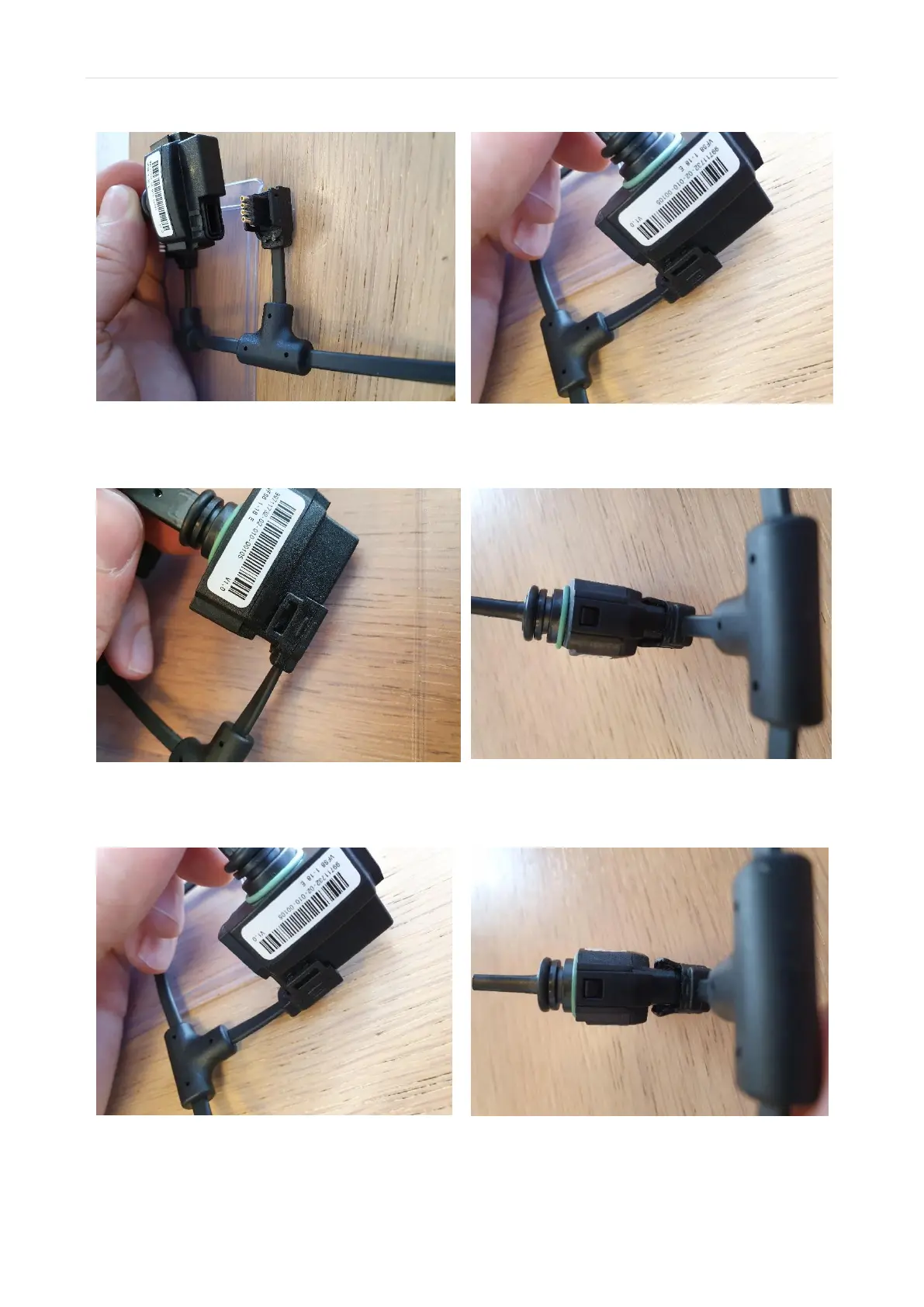
5. Once you have replaced the sensors or
the cable, you can connect the new
sensors and cables.
6. Place the sensors, so they rest on the
cable, and ensure that the sensors and
cable are aligned.
7. Once you have verified that they are
aligned, mount the sensors and the
cable.
8. Make sure that the snap fits on both
sides lock the sensor.
Do this for all sensors and cables.
You will know that the sensor is NOT LOCKED in place if the snap fits bend out as shown
above


 To Next Page