EN - 150
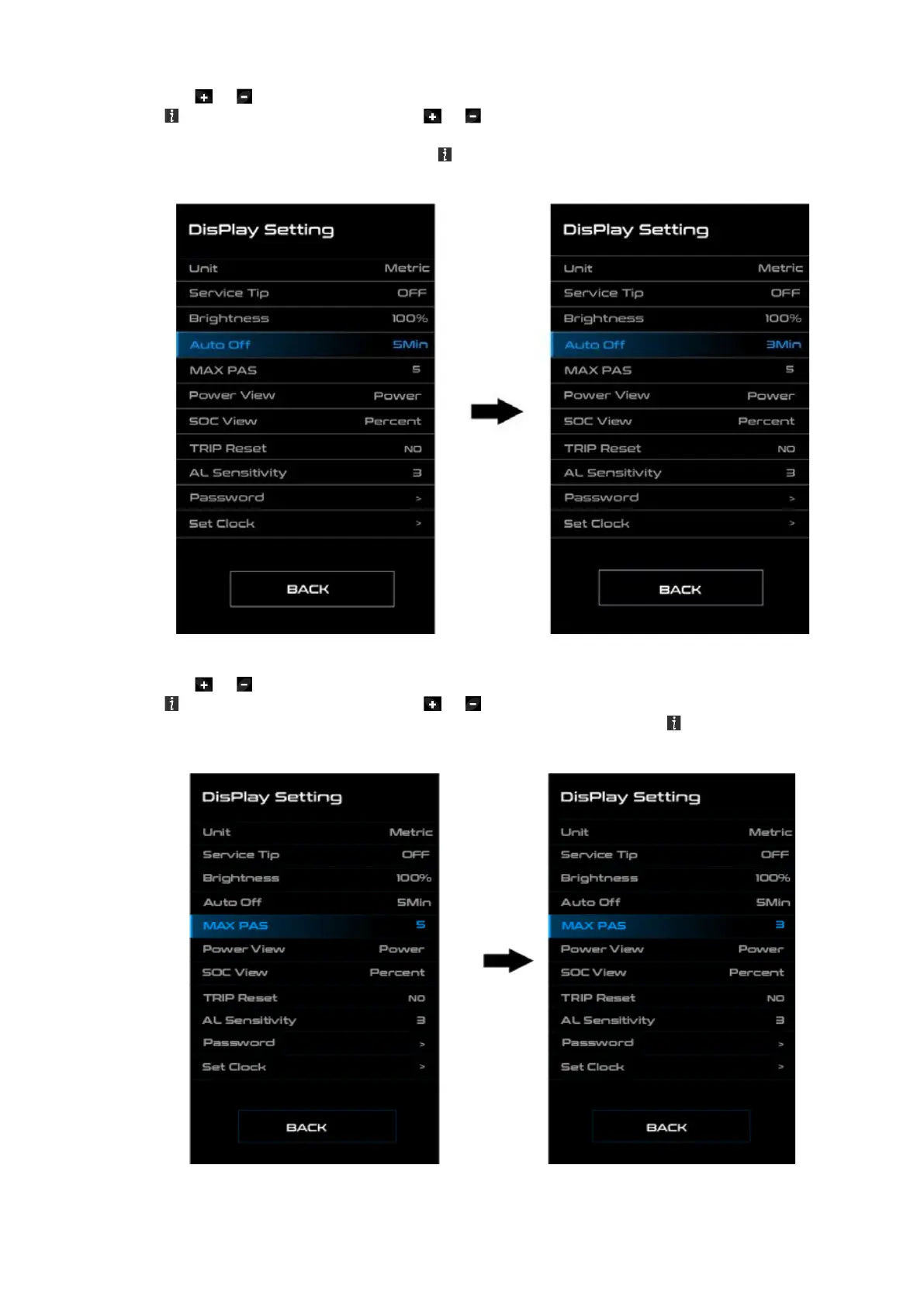
◆ “Auto Off” Set Automatic system switch off time
Press the or (<0.5S) button to highlight “Auto Off” in the Display settings menu, and then
press (<0.5S) to select. Then with the or button choose between
“OFF”, "9"/"8"/"7"/"6"/"5"/"4"/"3"/"2"/"1", (The numbers are measured in minutes). Once you have
chosen your de- sired selection, press the (<0.5S) button to save and exit to the "Display setting"
interface.
◆ “MAX PAS” Support level
Press the or (<0.5S) button to highlight “Max Pass” in the Display settings menu, and then
press (<0.5S) to select. Then with the or button choose between “3/5/9” (the amount of
support levels). Once you have chosen your desired selection, press the (<0.5S) button to save
and exit to the "Display setting"



 To Next Page