EN - 154
◆ “Set Clock”
Press the or (<0.5S) Button to access the “Set Clock” menu. Then briefly press the (<0.5S)
button to confirm selection. Now press the or (<0.5S) button and input the correct number
(time) and press the (<0.5S) button to move to the next number. After entering the correct time,
press the (<0.5S) button to confirm and save.
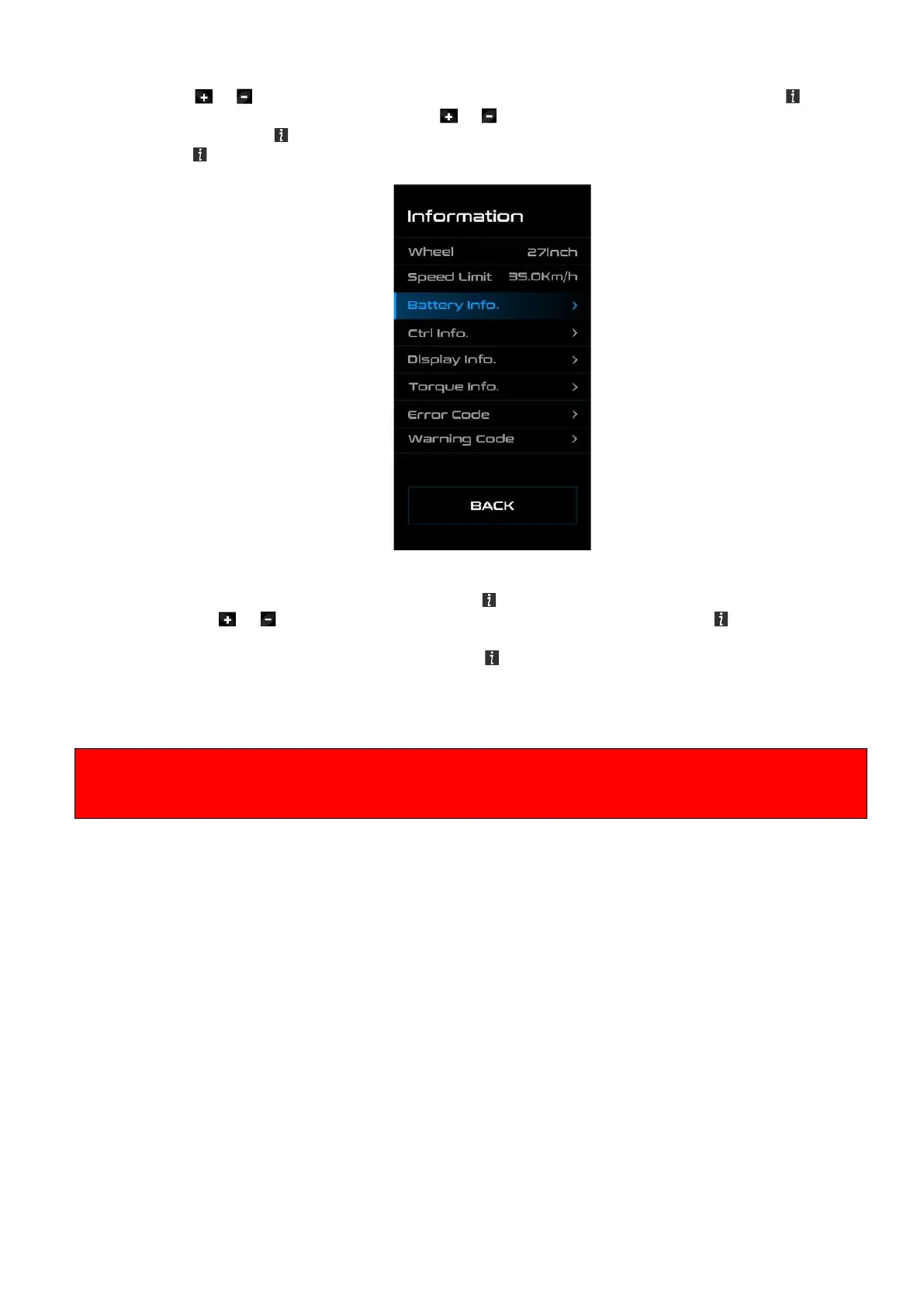
◆ “Information”
Once the system is turned on, quickly Press the (<0.5S) button twice to access the "SET-TINGS"
menu. Press or (<0.5S) button to select "Information", and then press the (<0.5S) button to
confirm your selection.
Or select the point "EXIT" by confirming with the (<0.5S) button to return to the main menu.
◆ Wheel Size and Speed Limit
The "Wheel Size” and "Speed Limit” cannot be changed, this information is here to be viewed only.
By default, the speed limit is set to 25 km / h so that it is in accordance with the applicable legislation
for the operation of e-bikes on roads. If the maximum speed limit is set to a value higher than 25 km /
h, the e-bike no longer complies with the relevant laws and may not be used for road use!



 To Next Page