Corporate Headquarters: 1080 North 11th Street, San Jose, CA 95112 Phone: (408) 292-2214 Fax: (408) 292-2733
www.etorque.com
Page 18
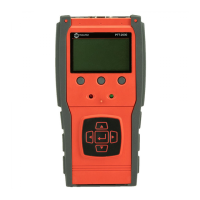
The PTT provides “EZ-Plug & Play” with Mountz Transducers that feature “ARCII” technology, an instant auto-
recognition system of the transducer connected to the PTT. When an ARCII Transducer is connected to the PTT it
automatically recognizes the transducer and displays the Model and Serial Number of the connected transducer on
the PTT.
The information stored in the ARCII chips contains:
The Model of Transducer
The Serial Number of the Transducer
True Calibration Information
Date of Calibration
Spindle Audit
Direction
Clock
Contrast
Language
Sleep
Sleep Mode Setting
Auto Sleep: On
Main
1. Press the "Menu" Button.
2. Use the Scroll Down key and select Setup by highlighting and pressing Enter.
3. Use the Scroll Up or Down key to toggle through the Setup options.
4. Press Enter key to select a setup setting for Sleep.
Filter
Units
Mode
Setup
Selecting Sleep
1. Use the Scroll Up or Down key to toggle through the Sleep settings:
(On or Off)
2. Press Enter key once setting is complete.
3. Press Main button to return to main display screen.
Six months from the date of the transducer’s calibration a message will appear on the screen informing the operator that
the calibration interval has been exceeded. At this point the operator can pull the Transducer out of service or decide to
continue to use it. After the initial message the user will be reminded each time they connect the transducer.
Transducer Calibration Reminder
ARCII (Auto Recognition Chip)


 To Next Page