User Interface
Corporate Headquarters: 1080 North 11th Street, San Jose, CA 95112 Phone: (408) 292-2214 Fax: (408) 292-2733
www.etorque.com
Page 3
External Connections
USB
The computer connection is USB. There is no setup required. This allows for data to downloaded to a PC. The PC will
require a USB I/O.
External Transducer Input
The transducer connector is a high density D-Sub connector with 15 pins. The pin description is shown below:
Pin Number Function Description
1 Analog Ground
2 Brushless Signal Output from Brushless Transducer + /- 5V
3 Not Used
4 Sensor Direct Used to detect transducers
5 Digital Ground
6 Excitation Voltage + 5V or 16 volts depending on bridge or brush-less transducer
7 Bridge Signal - Negative output from bridge transducer
8 Not Used
9 Angle Lead TTL output from angle detector in angle transducer
10 Sensor Drive Used to detect transducers
11 Bridge Signal + Positive output from bridge transducer
12 Shield
13 Angle Trail TTL output for angle lags Angle Lead by 90 degrees
14 +5 Volt Angle Supply
15 Data for “Smart” Transducer Proprietary ARCII protocol for smart transducers from Mountz
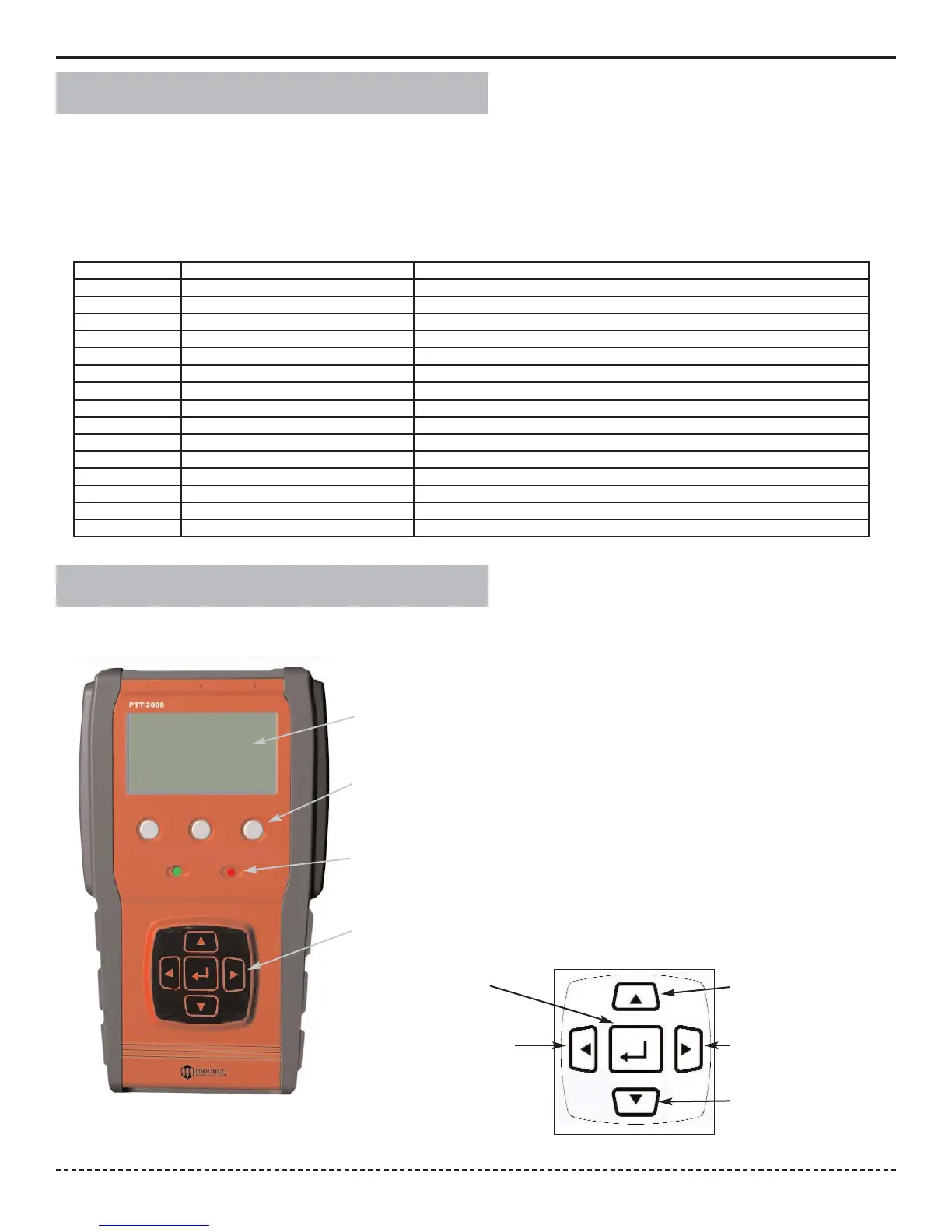
Display Screen
Displays the menu structures, torque readings, operating mode, torque units.
“Scroll and Enter Keys”
Used to toggle through the different menu structures.
Function Keys
For selecting the following options: (Left to Right) Menu, Tool Tests & Cancel.
Go and No Go LEDs
Used to monitor lower and upper torque limits and receive a visual warning.
Scroll Up
Scroll Right
Scroll Down
Scroll Left
Enter


 To Next Page