Tolerance
Auto Clear
Angle Setup
T+A Threshold
First Peak
Spindle Audit
Setup Selections
The Tolerance parameters control the Go and No-Go signal response (see Go / No Go Signal section). The user sets
a lower and upper torque thresholds to get a visual and audible warning signals when these limits are reached or
breached during operation. This function is primarily used for safety and quality control.
Tolerance
Tolerance Setting
Low: _0.000 lbf.in
High: 84.950 lbf.in
Main
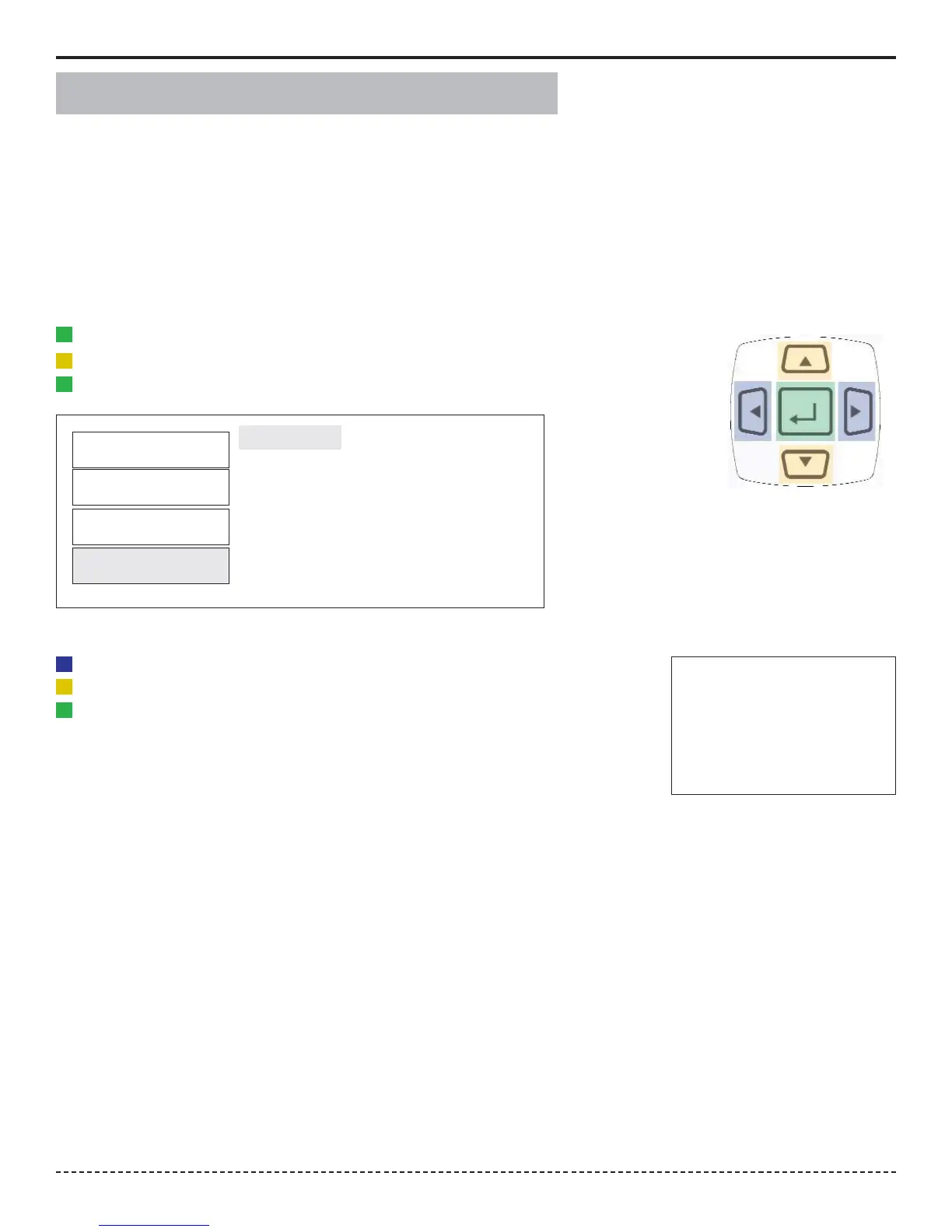
1. Press the "Menu" Button.
2. Use the Scroll Down key and select Setup by highlighting and pressing Enter.
3. Use the Scroll Up or Down key to toggle through the Setup options.
4. Press Enter key to select a setup setting for Tolerance.
Filter
Units
Mode
Setup
Selecting Tolerance
1. Press the Right or Left key to toggle between High and Low Tolerance..
2. Use the Scroll Up or Down key to change the tolerance settings .
3. Press Enter key once setting is complete.
4. Press Main button to return to main display screen.
This function controls the method of clearing the display of torque readings.
Auto Clear
When Auto Clear is selected, the torque values, during operation, will automatically be cleared from the display.
The user can set the time threshold to control how long the values should be displayed before clearing.
Manual Clear
When Manual Clear is selected, the torque values during operation will indefinitely be display until the user presses
the Clear key.
Clear
Corporate Headquarters: 1080 North 11th Street, San Jose, CA 95112 Phone: (408) 292-2214 Fax: (408) 292-2733
www.etorque.com
Page 10


 To Next Page