Corporate Headquarters: 1080 North 11th Street, San Jose, CA 95112 Phone: (408) 292-2214 Fax: (408) 292-2733
www.etorque.com
Page 34
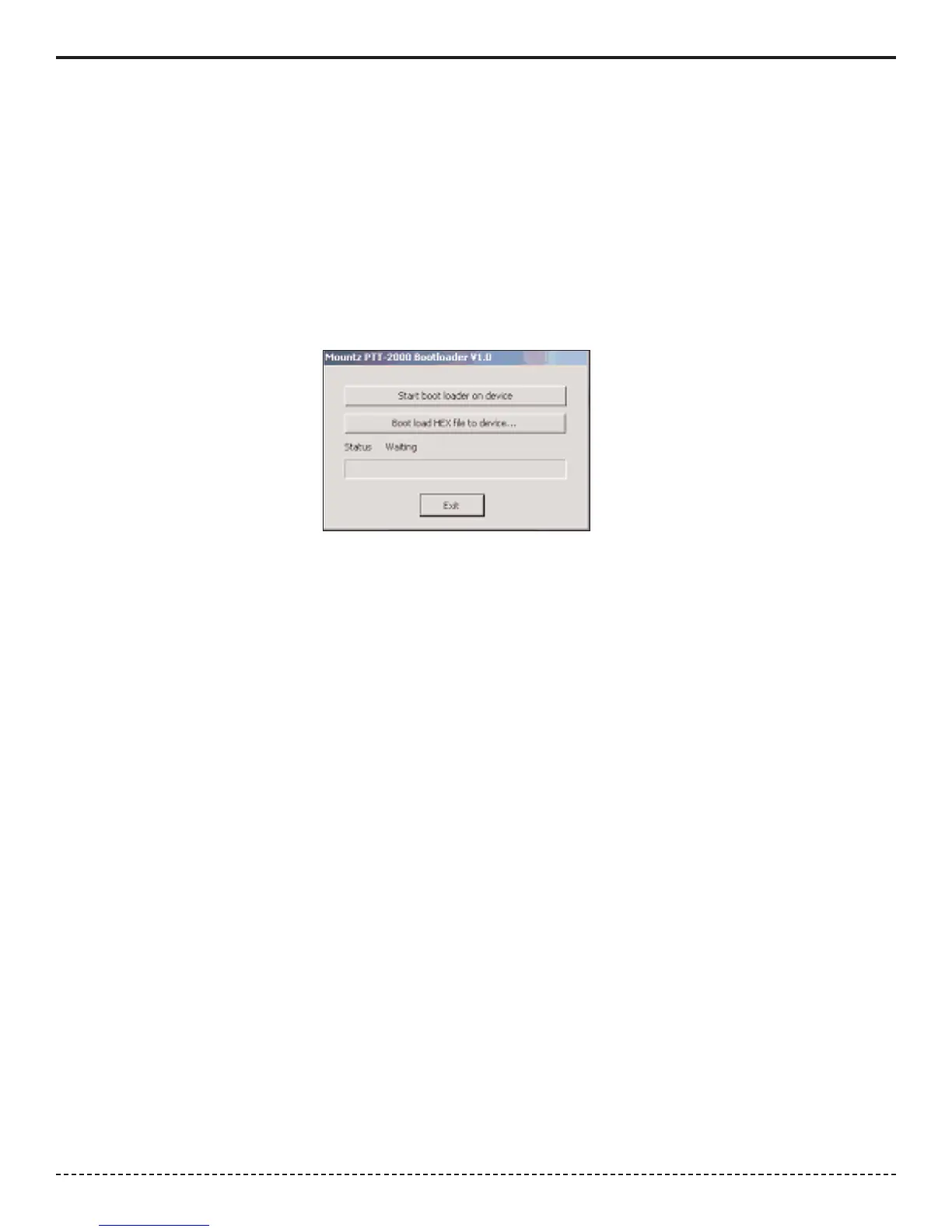
When the operator runs the program he/she will see a window as shown below. Connect the USB cable to the PTT and
the computer and turn on the PTT unit. Click the button "Start boot loader on device". Both LED's on the PTT will turn
on and the screen will indicate the PTT is in bootloader mode.
To update the firmware click the "Boot load HEX file to device.." button. Locate the HEX file update. It will be in the Hex
Files folder. The file is named Mountz App.hex. This is the current application so there is no need to update but if the
operator chooses he/she can reload it to see how this feature works. The process will take about 6 minutes as there is
quite a lot of code in the product. The status will be shown in the PTT Boot Loader window as the process takes place
As updates are available these will be available on the Mountz Web site.


 To Next Page