18
EN
Routine Maintenance
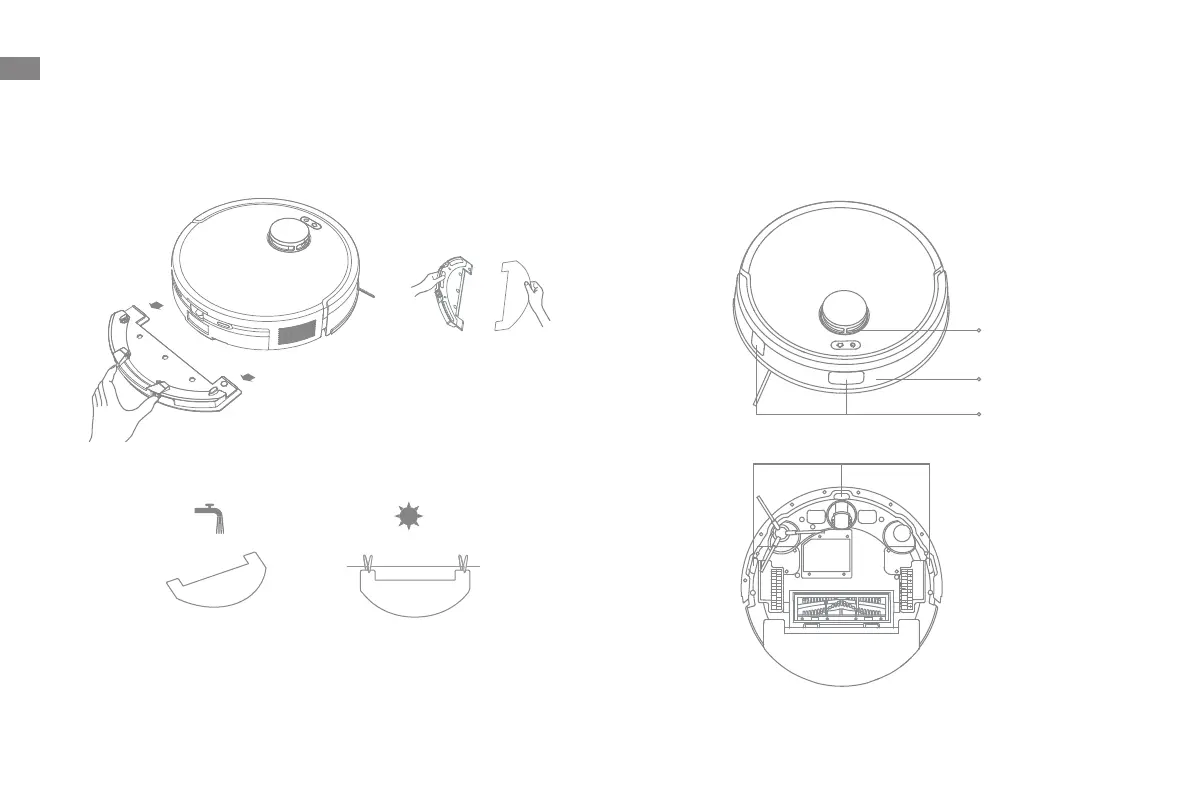
Mop Pad
1. Press the release clips on the mop pad holder to remove the mop assembly.
Pull the mop pad o the mop pad holder.
2. Clean the mop pad with water only and leave it to air dry before reinstalling.
Robot Sensors
Wipe robot sensors by using a soft and dry cloth, as shown in the below
figure:
Note: A wet cloth can damage sensitive elements within the robot and the
base station. Please use a dry cloth for cleaning.
Laser Distance
Sensor (LDS)
Bumper
Return-to-Dock
Sensors
Cli Sensors


 To Next Page