EDS-408A/405A Series User’s Manual Getting Started
2-3
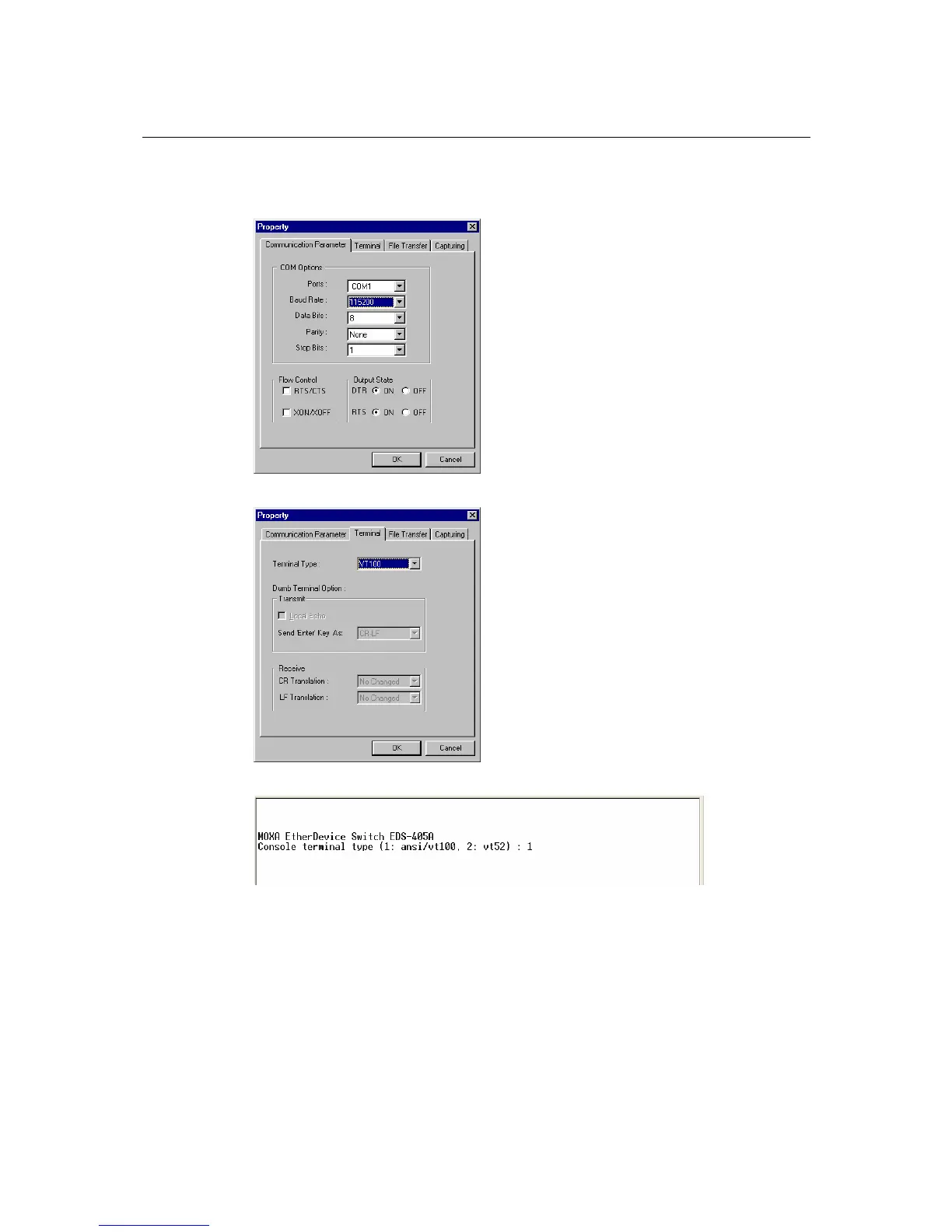
3. The Communication Parameter page of the Property window opens. Select the appropriate
COM port for Console Connection, 115200 for Baud Rate, 8 for Data Bits, None for Parity,
and 1 for Stop Bits.
4. Click the Terminal tab, and select VT100 for Terminal Type. Click OK to confirm.
5. Type 1 to select ansi/VT100 terminal type, and then press Enter.



 To Next Page
 Loading...