NPort 5000 Series User Manual
Deleting a COM Group
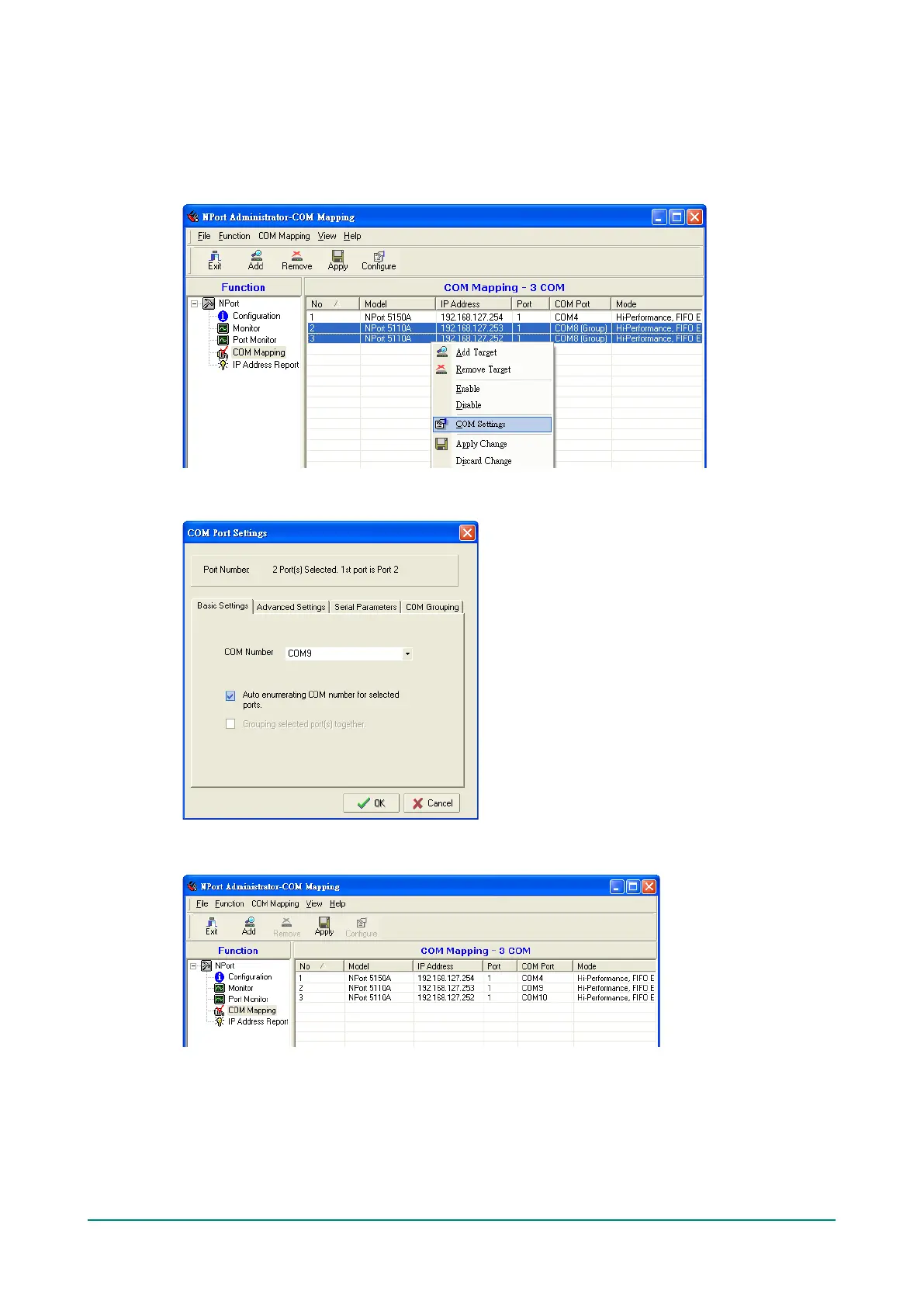
Follow the steps below to delete a COM Group and then auto-assign COM numbers for each port in the
Group:
1. Select all serial ports in the Group you are deleting and then right-click to select COM Settings.
2. Select a COM number for this COM group and check the Auto enumerating COM number for
selected ports to use the COM number you select as the first starting COM number, and then click OK.
3. You will be able to view the serial ports that were assigned to and removed from the Group. Click Apply
to apply the settings.



 To Next Page
 Loading...









