NPort 5000 Series User Manual
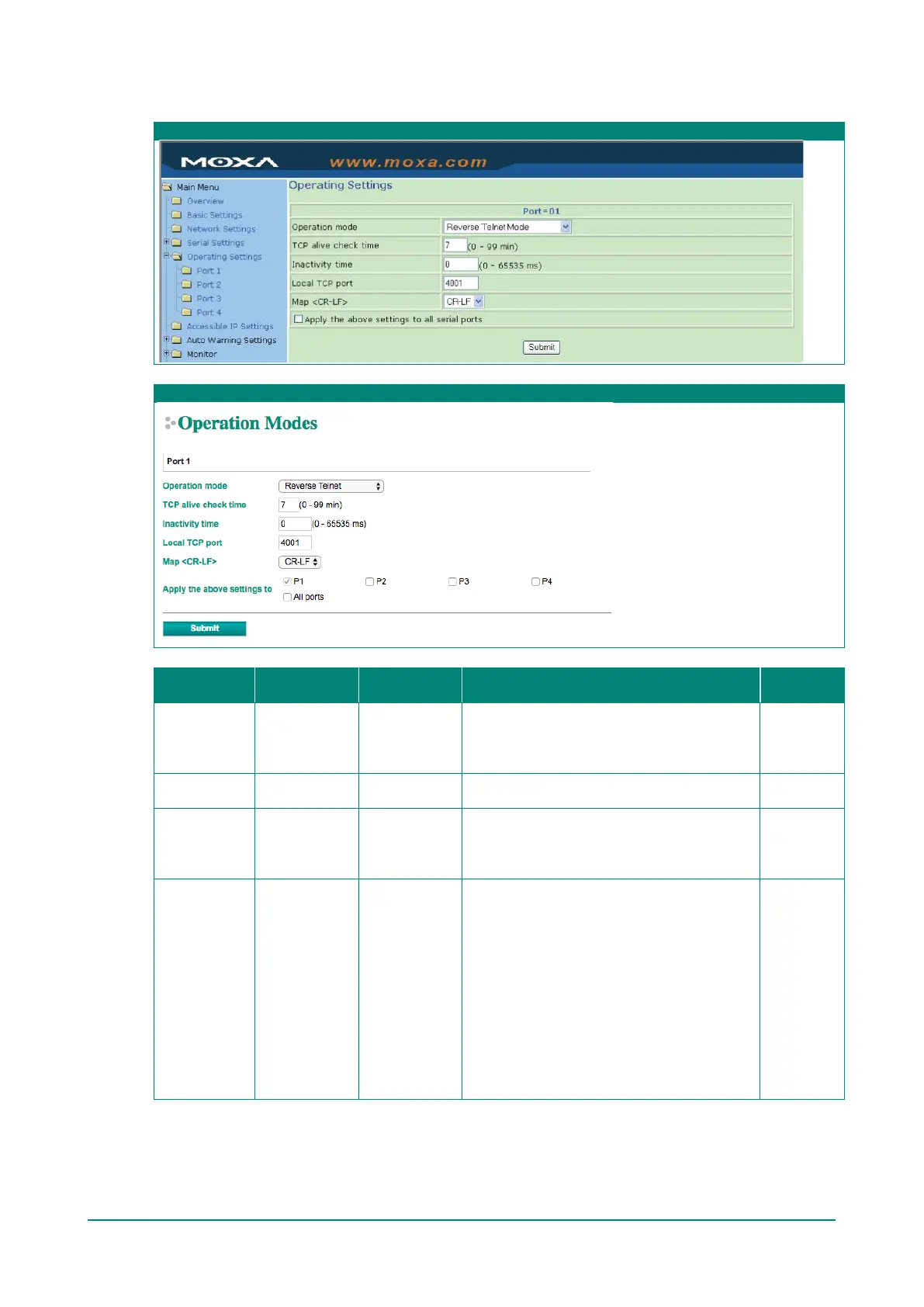
Reverse Telnet Mode
Web Interface for the NPort 5100, 5200, and IA5000 Series Only
Web Interface for the Overall NPort 5000 Series
Parameter Setting
Default
Description Necessity
TCP Alive
Check Time
0 to 99 min 0 min
Specifies the time slice for checking if the TCP
connection is alive. If no response is received,
the NPort will disconnect the original
Optional
Inactivity time 0 to 65535 ms 0
Idle time setting for auto-disconnection. 0
min. means it will never disconnect.
Optional
Local TCP port 1 to 65535 4001
Each of the NPort’s serial ports is mapped to a
TCP port. To avoid conflicts with TCP ports, set
port numbers to 4001 for port1, 4002 for port
2, etc. (like the default values).
Optional
Map <CR-LF>
CR, LF, or CR-
LF
CR-LF
If data received through the NPort’s Ethernet
port is sent using the “enter” command, the
data will be transmitted out the serial port
with an added:
1. “carriage return + line feed” if you select
the <CR-LF> option (i.e., the cursor will
jump to the next line, and return to the
first character of the line)
2. “carriage return” if you select the <CR>
option (i.e., the cursor will return to the
first character of the line)
3. “line feed” if you select the <LF> option.
(i.e., the cursor will jump to the next line,
but not move horizontally)
Optional


 To Next Page
 Loading...









