ing the icon
9
Home Page
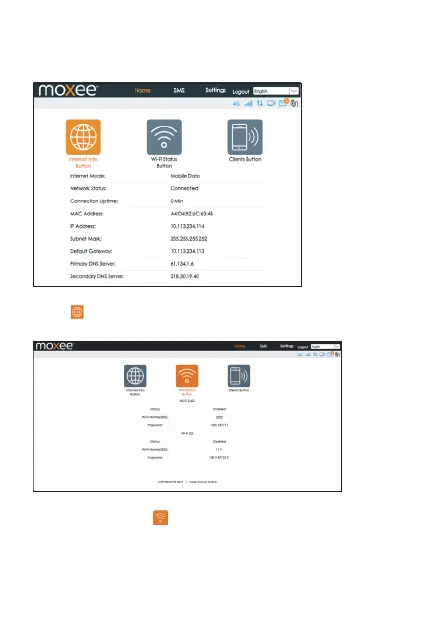
In the Home section, you can select one of the below three options
to configure your device:
• Internet Info Button: Allows you to check the Internet status by click-
. The Internet mod
e, network status, connection time
and connection related parameters will be displayed.
• Wi-Fi Status Button: Allows you to check the Wi-Fi information of the
hotspot by clicking the icon . The 2.4GHz & 5GHz Wi-Fi status,
SSID and password will be displayed.


 To Next Page