10
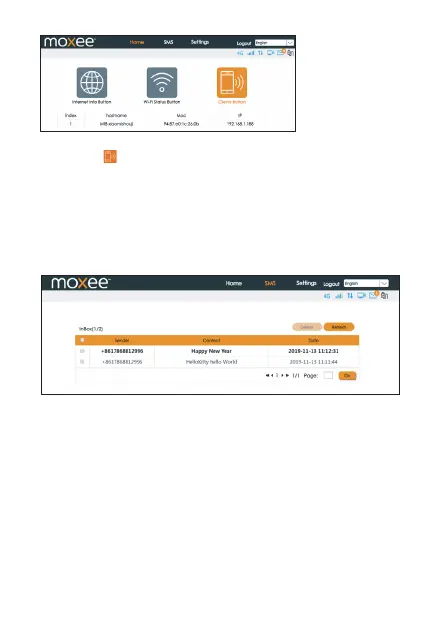
• Clients Button: You can check the connected client information by
clicking the icon.
The connected client’s device name, IP address
and MAC address will be displayed.
SMS
You can click “SMS” to see text messages you may receive from
Inbox: You can read, select, delete, refresh and select multiple text
messages.
Note: The device only receives SMS and does not send SMS.
Settings
You can click “Settings” on the main page to congure the
hotspot.
Internet
Mobile Connection
In this menu, you can configure your mobile data connection.
Note: If you are unsure of your APN settings, please contact your
service provider. The hotspot supports auto-APN, which means you
do not need to edit APN settings in most cases.
your service provider or others.


 To Next Page