16
Note: This will enable you to provide access to others to your FTP server
on your LAN through WAN.
Step 1: Assign a static IP to your local computer that is hosting the
FTP server.
Step 2: Log in to the Gateway, and go to Settings > Features > Port
Forwarding.
Step 3: Set WAN Port to 21;
Set LAN IP Address to be the static IP of computer; and
Set LAN port to 21.
Step 4: Click “Apply” to activate..
•
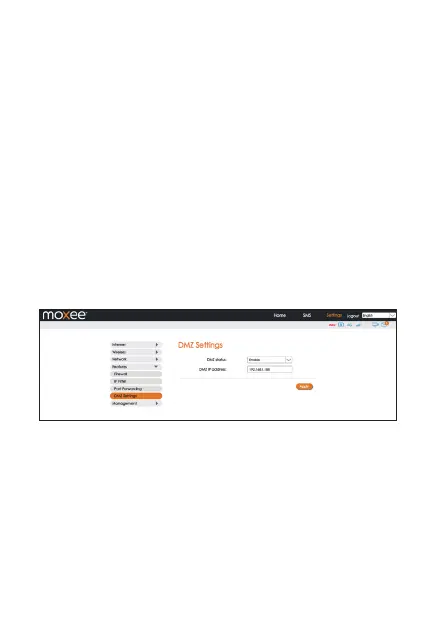
DMZ Settings
DMZ (Demilitarized Zone) allows an outside network to connect and
communicate with internal LAN devices via this WAN interface.
IP Address: Give a static IP address to the DMZ Host when Enabled
radio button is checked. Be aware that this IP will be exposed to
the WAN/Internet.
•
SNTP
In this section you can synchronize the system clock on the device
with the network.
Management


 To Next Page