13
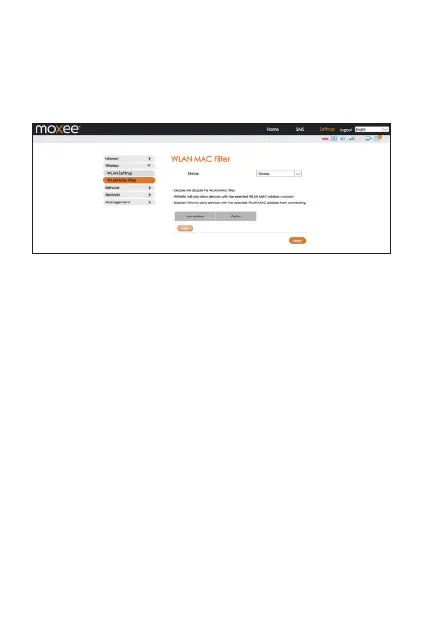
• Disable will disable the WLAN MAC filter.
• Whitelist will only allow devices with the selected MAC address(es)
connect.
• Blacklist will only deny devices with the selected MAC address(es)
from connecting.
Network
• DHCP
In this menu, you can configure the DHCP settings. The default
values are:
• DHCP server is enabled
• Gateway IP address: 192 .168.1.1
• DHCP IP Range: 192.168.1.100 to 192.168.1.200
• DHCP lease time: 24 hours (86400 seconds)
Click “Apply” after configuring new settings.


 To Next Page