19
•
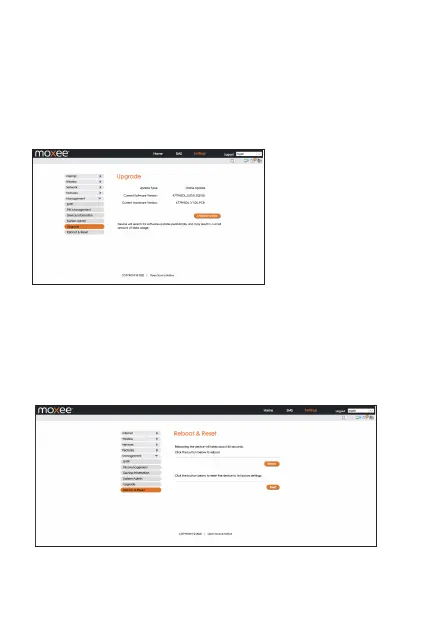
Upgrade
Your hotspot can automatically detect firmware updates. In this
section you can manually check if there is new firmware for your
hotspot, and update. When there is a new version, it will display a
“new” icon in the WebUI, and you can select the icon to proceed
with the update. You can also check the current software and
hardware information on this page.
Manually check for update:
Click the button “Check for update” to confirm if there is an update
available. If there is one available, it will guide you to confirm if you
want to proceed with the update.
In this section you can reboot your device or reset it to factory
default settings.
Reboot: Select to reboot your device.
Reset: Select to reset your device.
•
•
•
Reboot & Reset


 To Next Page