12
6 SYSTEMOPERATION
6.1 STARTINGTHELASER
SimplypressthePowerbuttononthedisplaypaneltostartthelaser.Asthesystempreparesfor
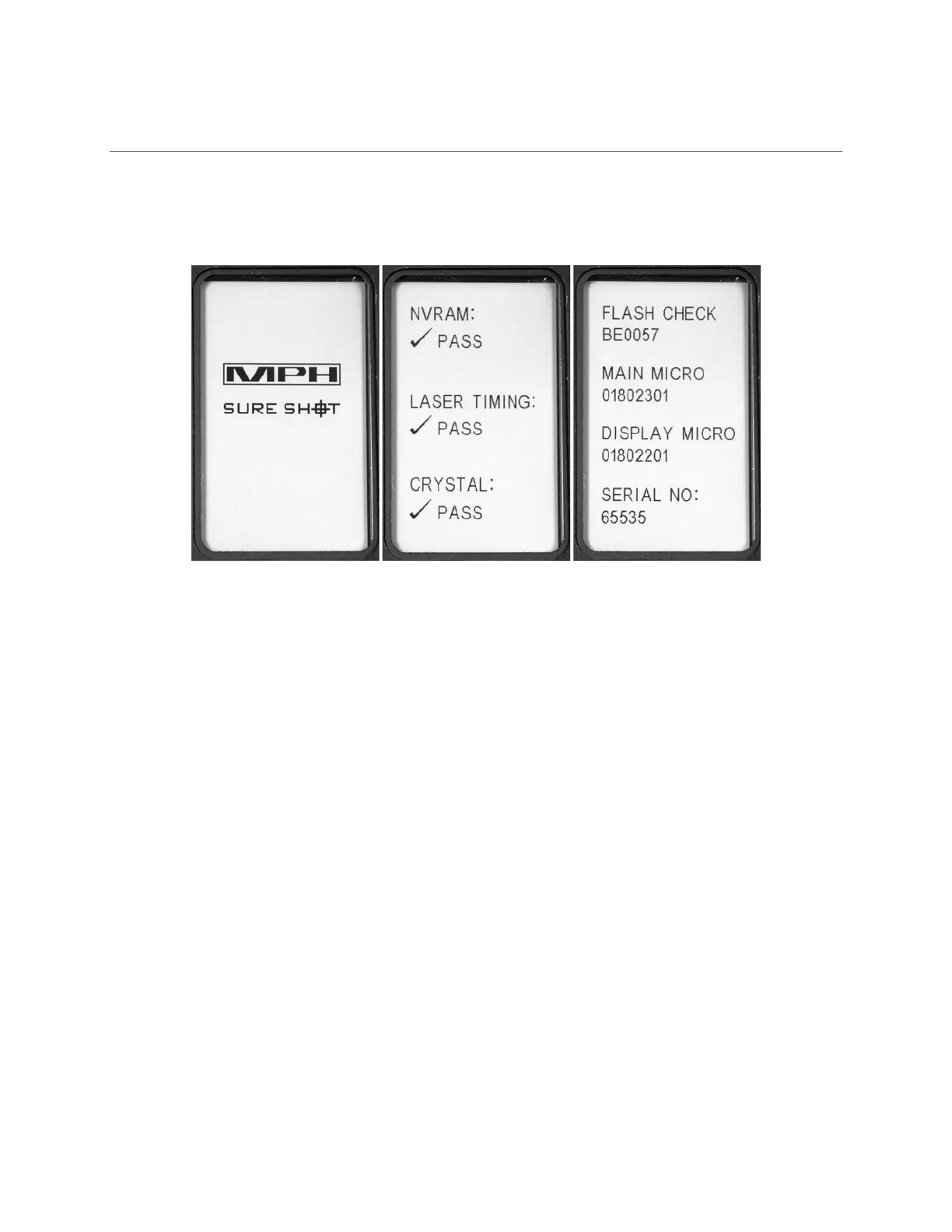
operationthescreenwilldisplaytheMPHlogoandgothroughseveralinternalchecks.
Figure5‐SystemInitializationScreens
Thedisplay’spixelscanbecheckedasacheckerboardpatterndisplaysandthenreversesallowingyou to
identifyanypixelsthatarestuckonornotilluminating.
ThelaserwillthenproceedtochecktheNon‐volatilememory(EEPROM),theinternallasertimingcircuit
andtheinternalcrystal.Ifanyof
thesetestsfail,thetestingwillimmediatelystopandthetestresult
willshowFAILonthescreen.Ifthetestsdonotfail,thescreenwilldisplayPASSforeachtest.
Thenextpagewillchecktomakesuretheflashmemory,mainmicrocontrolleranddisplay
microcontrollerchecksumsare
allcorrect.Thefinalinternalcheckwill listtheserialnumberoftheunit
itself.
Asalloftheseinternaltestsarehappeningonthedisplay,theheadsupdisplay(HUD)willalso begoing
throughasegmentcheckaswell.
Oncetheunithaspoweredupbarringanyfailures,the
displaywillgodirectlytotheHOMEscreenand
theunitwillbereadytouse.
6.2 FIRINGTHELASER
Simplyhold,aimandfire.
1. Holdthelasercloseandaimthereticle(crosshairsorotherreticle)ontoaspecifictarget.
2. OncethetargetisidentifiedintheHUD,simplyholdthereticleonthetargetwithoutmoving
thelaserandpullthetriggeruntilthetargethasbeen
acquiredatwhichtimethelaserwill
soundanauditorytonetosignifythespeedand/orrangewascalculated.


 To Next Page