33
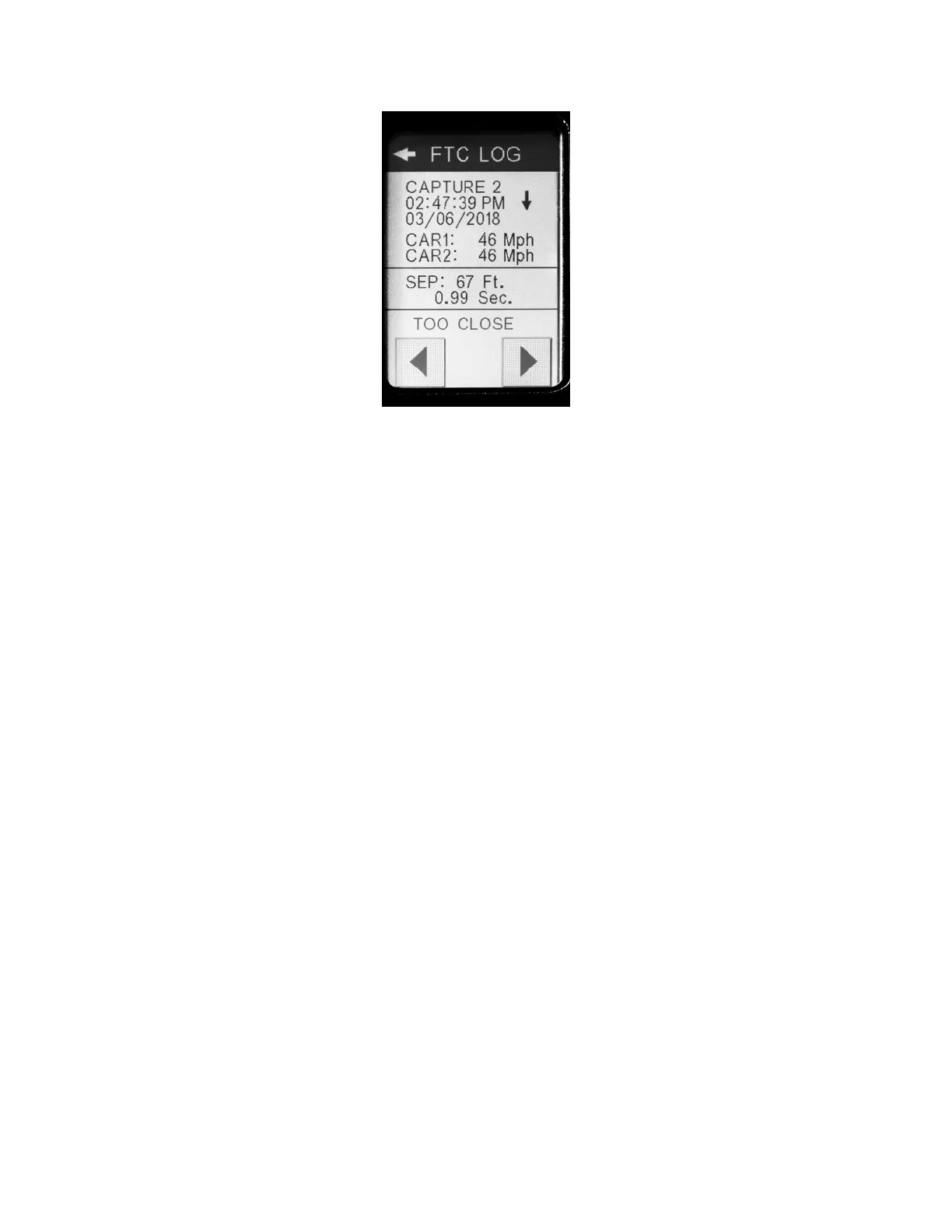
Figure26‐FTCLogExampleScreen
TheFTCLOGscreenbeginswiththelastFTCcalculationtaken.ToaccessotherFTCshotsinthelog,use
theleftandrightarrowsatthebottomofthescreentoscrollupordownthelist.
AsmoreFTCshotsaretaken,thenewestresultsdatagetsputto
thefrontofthelistandolderresults
movedownthelist.Once200resultshavebeenstored,theoldestresultsareremovedfromthelistas
newresultsareadded.
7.1.2.10 Self‐Test
Theself‐testforthelaserrepeatsthestartupsequenceforthelaser.
7.1.3 Calibration
Thedisplaytouchscreen
(Figure27)shouldmaintainitsfactorycalibration, however,ifyoufeelthe
touchscreenneedstobereadjusted,youcanrecalibrateityourself.
Tocalibratethetouchscreendisplay,simplypressboththeLEFTandRIGHTarrowuserbuttonsonthe
lasersimultaneously.(Usingtheexternalbuttonsisnecessaryincasethe
alignmentwillpreventyou
fromaccessinganymenusettings)Pressingthesetwobuttonstogetherwillchangethedisplay(Figure
27)tothecalibrationroutinewhereyouwillpressonthevarioustouchpointsthatappearonthe
screen.


 To Next Page