19
7.1.1.9 RangeModeIndicator
Therangemodeiconatthetopofthescreenshowsthecurrentrangemodeforthelaser.Theavailable
rangingmodesarenormalrangemode(nosymbol),weathermode()andobstructedmode().
TheserangemodesymbolswillalsoappearintheHUDunlessyouhave
turnedthemoffintheHUD
settings.
7.1.1.10 BatteryIndicator
Thebatteryiconatthetopofthescreenshowsthecurrentbatterypowerlevel.Asthebatterypower
supplydecreases,thebatterylevelindicatorwillalsoshowthedecreasingsupply.Beforethebattery
becomestoolowtooperate,thebatteryicon
flashes.Ifyoucontinueusingthelaserwithoutchargingor
replacingthebatteries,thelaserwillpoweroff.IfyouarepoweringthelaserthroughtheUSBporton
theside,thissymbolwillappearasabatterywiththelettersUSBinside.Thelaserbatteriescannotbe
chargedusing
thisport.
7.1.1.11 AudioMuteIndicator
Themuteiconatthetopofthescreenshowswhentheaudiolevelforthelaserissetto0(muted).
Audiolevelsotherthanmutearenotshowninthisindicator.ThoselevelscanbeseenintheAUDIO
MENUscreen.
7.1.2 MenuSystem
The
menusystemforthelaserisgroupedintosectionswhich logicallycorrespondtothefunctionunder
consideration.Everymenupagehasatitlebaratthetoptoletyouknowwhereyouareorwhatyou
areadjusting.
7.1.2.1 MainMenu
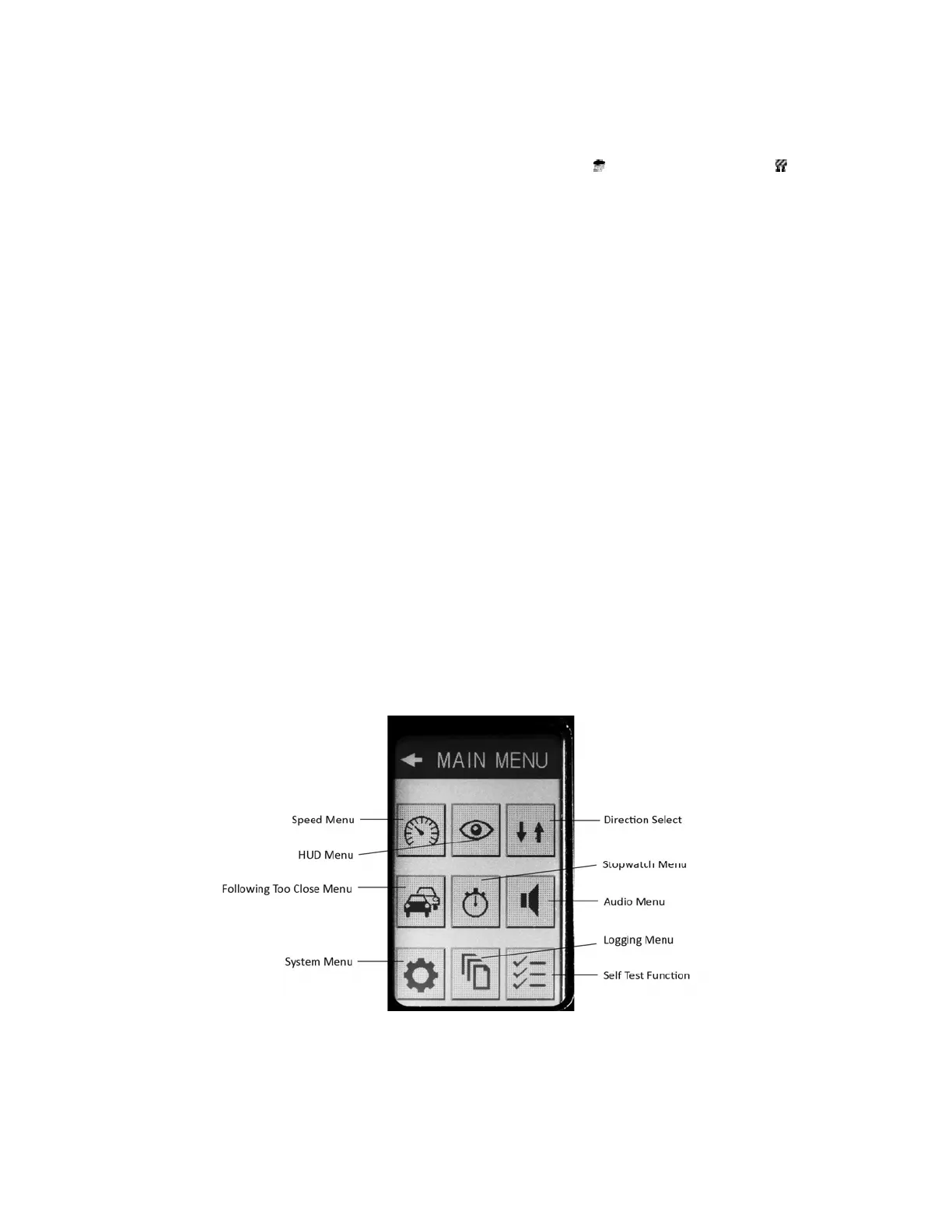
PressingtheMENUvirtualbuttonontheHomeScreendirects
theoperatorintotheconfigurationarea
ofthelaserknownastheMAINMENU.TheMAINMENU(Figure11)isthelaunchpointtothe
submenusforthelaser.Iconsrepresentingeachsubmenuactasvirtualbuttonstoaccessthoseareas.
Figure11‐MainMenuScreen


 To Next Page