20
Themenusarebrokendownintoprimarygroups:
SPEEDMENU–Allthingsspeedanddistancerelated
DIRECTIONSELECT–Directionalmeasuringmodeselection
FOLLOWINGTOOCLOSEMENU–FollowingTooClosefunctionality
STOPWATCHMENU–Stop watchfunctionality
HUDMENU–AllthingsHUD
related
AUDIOMENU–Allthingsaudiorelated
SYSTEMMENU–Generalsystemsettings
LOGGINGMENU–Logfilescontainingself‐tests,shots,andFollowingTooClosecalculations
7.1.2.2 SpeedMenu
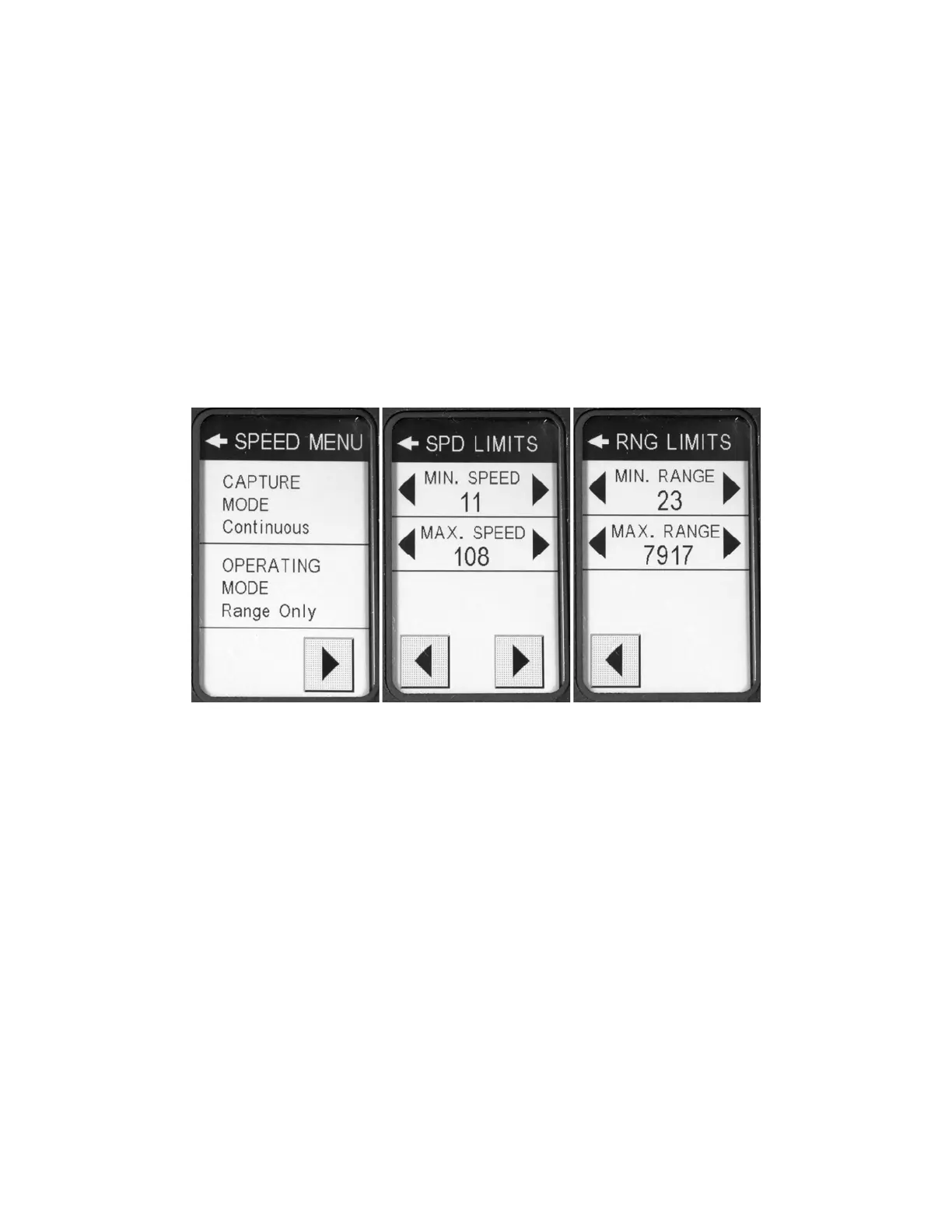
TheSPEEDMENU(Figure12)iswhereyoucanadjustthevariousspeed‐relatedshotsettings.
Figure12‐SpeedMenuScreens
7.1.2.2.1 CaptureMode
TheCAPTUREMODEpop‐upmenuisusedtoconfigurehowoftenthelaserwillfiretoobtaintargets.
SingleShot–IfthelaserisinSpeed&Rangemode,thelaserwillfireonceandcalculateasingle
speedand/ordistance.Nofurtherspeedsor
rangeswillbecalculateduntilthetriggerhasbeen
releasedandpulledagain.IfthelaserisinRangeOnlymodeitwillcontinuouslyfire.
Continuous–Thelaserwillcontinuouslyfire,calculateandupdatenewspeedsand/ordistances
aslongasthetriggerisdepressed.
7.1.2.2.2 OperatingMode
TheOPERATINGMODEpop‐upmenuisusedtoconfigurewhattypeofmeasurementsareneeded.
Speed&Range–Thelaserwillcalculateanddisplaybothspeedand/ordistanceforagiven
target.Thismodewillcalculatedistancesofaround30feetorhigher.
RangeOnly–The
laserwillcalculateanddisplayonlythetargetdistance.Thismodehas
additionalrangingdowntoapproximately10feet.


 To Next Page