34
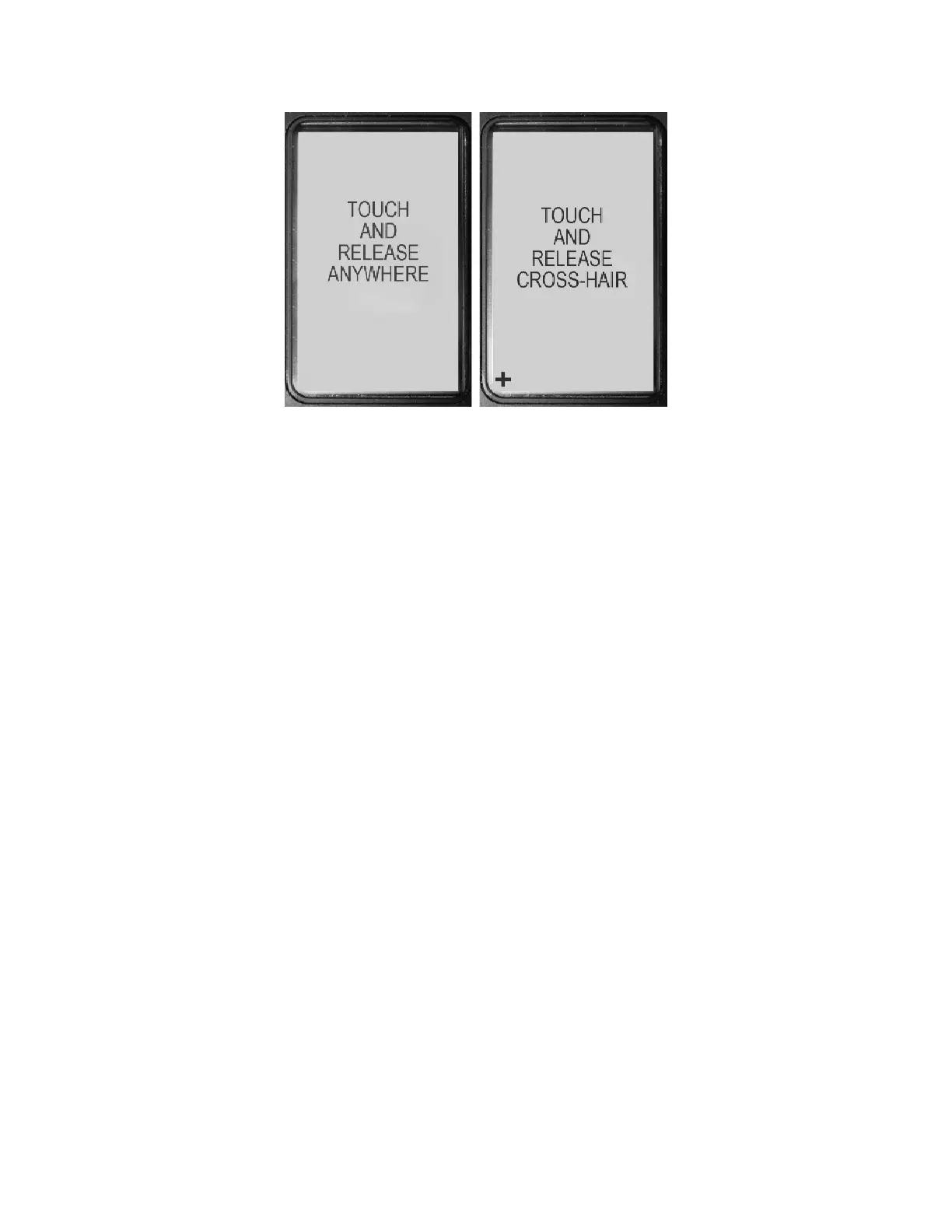
Figure27‐TouchscreenCalibrationScreens
Oncecompleted,thedisplaywillnotifyyouthatthecalibrationwascompletedandwillreturntothe
HOMEscreen.
7.2 USERBUTTONS
Threeuserbuttonsareavailabledirectlybelowthetouchscreeninterfacepanel.Thesebuttonsare
accessibleatalltimesnomatterwhatisbeingdisplayedonthetouchscreen.
7.2.1 PowerButton
ThePOWERBUTTONisthemainpowerbuttonforthelaser.Whenthelaserispoweredoff,pressing
thisbuttonquickly
willrestarttheunitintothestartupsequenceandthenpreparethelaserfor
acquiringtargets.Whenthelaserispoweredon,pressingandholdingthisbuttonforthreesecondswill
begintheshutdownsequenceforthelaserandwill ultimatelypowertheunitofftoconservebattery
powerwhen
notinuse.
7.2.2 Left/RightButtons
TheLEFTandRIGHTBUTTONSareusedinmenuscreenstopermitchangingmenupagesforwardand
backward.WhenthelaserisontheHOMEscreen,thesearrowsareusedtoquicklyadjustthedisplay
screenbacklightbrightnes supanddown.
7.3 HEADS‐UPDISPLAY(HUD)
TheHUDsystemdisplaysallnecessaryinformationdirectlyintheeyepiecewhileaimingandfiringthe
laser,allowingtheoperatortokeepthelaserincontinuoususeandfocusedonpotentialtargets.


 To Next Page