37
8 TROUBLESHOOTINGTHELASER
Toensuretheunitisingoodworkingorder,pressingtheSELF‐TESTBUTTONonthetouchscreen’sMAIN
MENUscreenwillinitiatetheself‐testfunctionforthelaser.Thiscanbedoneatthebeginningofevery
shiftoranytimeanoperatorfeelsaself‐testisnecessary.
Ifyou
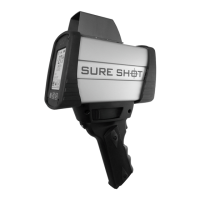
arehavingissuesorsuspectthattheSureShot™laserismalfunctioning,pleasecheckthe
followingitems:
Troubleshooting:
Symptom PossibleCause
SureShot™willnotpoweron Batteriesaredepleted;12VDCpowercablenotpluggedin;Batterydoorisopen
Touchscreenwillnotproperlyrespond Touchscreenneedstoberecalibrated
Screentextishardtoread Displaybrightnessneedstobeadjusted;
CannotseespeedorrangeintheHUD CheckHUDShowSpeedandShowRangesettings
SureShot™willnotcapturetargets Verifythetargetdistanceisbeyondthecurrentrangemodesetting;Verifythe
minimumandmaximumspeedsandrangesaresetcorrectlyforthetargetat
hand;
SureShot™willnotrangetodistant
targets
Targetisnotreflectiveenough;Targetistoofaraway;Targetisbeyondmaximum
rangeand/orspeedsettings;Lensisblockedorfogged
Noaudiotonewhenfiring. ChecktoseeifaudioismutedoriftheBeepOptionissettoValidResultonly.
ErrorMessages:
ErrorMessage MessageMeaning OperatorAction
LOWVOLTAGE Thebatteryor12VDCvoltagehasfallen
belowthelaserminimumvoltage
Replacethebatteries;Checkthe12VDC
powersupply
RFI Externalradiointerferencehasbeen
detectedandthelaserwillnotallow
readingsuntilithasbeenremoved
Movethelasertoanareawithout
externalradiointerferenceorremove
theinterference
Ifyouareunabletoresolvetheproblemonyourown,pleasecontactusatinfo@mphindustries.com.
Ifyouneedtoreturnyourlasertousforservice,pleaserequestaReturnMaterialsAuthorization(RMA)
numberatwww.mphindustries.com.


 To Next Page