EasyManua.ls Logo

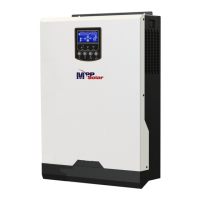
MPP Solar 2424LVMSD - User Manual

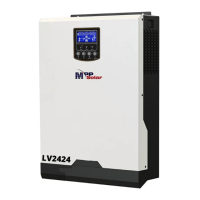
MPP Solar 2424LVMSD
46 pages
Print Icon
To Next Page IconTo Next Page
Loading...
User Manual

Questions and Answers

  • R
    Rebecca AllenAug 9, 2025
    What to do if MPP Solar 2424LVMSD Inverter has no response after power on?
    • D
      Daniel RichardsonAug 9, 2025
      If your MPP Solar Inverter doesn't respond after you power it on, it could be due to: * **Low Battery Voltage:** Check if the batteries and wiring are well connected. * **Reversed Battery Polarity:** Re-charge or replace the battery.
  • D
    David FloresAug 14, 2025
    How to fix MPP Solar 2424LVMSD shutting down automatically during startup?
    • C
      connersarahAug 14, 2025
      If your MPP Solar Inverter shuts down automatically during startup, it's likely because the battery voltage is too low (less than 1.91V/Cell). To resolve this: * Re-charge the battery. * Replace the battery.
  • S
    Sara JacksonAug 20, 2025
    What to do if internal relay is switched on and off repeatedly on MPP Solar Inverter?
    • S
      Samuel ThomasAug 20, 2025
      If the internal relay of your MPP Solar Inverter switches on and off repeatedly when you turn it on, the battery may be disconnected. Check if the battery wires are connected well.
  • A
    Alexander VillanuevaSep 2, 2025
    Why does my MPP Solar 2424LVMSD Inverter work in battery mode when mains exist?
    • B
      Beth GeorgeSep 2, 2025
      If your MPP Solar Inverter is running on battery despite mains being available, the issue could stem from a few causes: * **Tripped Input Protector:** Verify that the AC breaker hasn't tripped and that the AC wiring is properly connected. * **Poor AC Power Quality:** If you're using shore power or a generator, ensure the AC wires aren't too thin or long. Also, confirm the generator is functioning correctly and the input voltage range is correctly set. * **Output Source Priority:** Change the output source priority to Utility first.
  • E
    Eric BrownNov 26, 2025
    What to do if my MPP Solar 2424LVMSD beeps continuously and the red LED is on?
    • J
      John KaiserNov 26, 2025
      A continuous beep and a red LED on your MPP Solar Inverter usually indicates a problem. Here's what it could mean and what you should do: * **Overload:** Reduce the load by switching off some equipment. * **Short Circuit:** Check the wiring and remove any abnormal loads. * **Over Temperature:** (For 1-3KVA models) Make sure the inverter's airflow isn't blocked and the ambient temperature isn't too high. * **High Battery Voltage:** Check if the battery specifications and quantity meet the requirements. * **Fan Fault:** Replace the fan. * **Output Abnormal:** (Inverter voltage lower than 190Vac or higher than 260Vac) Reduce the connected load. * **Over Current or Surge:** Restart the unit. If the error happens again, the unit should be returned for repair. If these steps don'...

Summary

Installation Guide

Installation: Battery Connection

Battery Connection Procedure

Detailed steps and recommendations for connecting the battery to the inverter.

Installation: AC Connections

AC Input;Output Connection

Instructions for connecting the AC power input and output terminals.

Installation: PV Connection

PV Module Connection

Guidance on connecting photovoltaic (PV) modules to the inverter.

Operation Overview

Power ON;OFF Procedure

How to turn the unit on and off using the switch.

Operation and Display Panel

Overview of the front panel controls, indicators, and LCD display.

Operation: LCD Display Information

LCD Display Icons Explained

Explanation of various icons and their meanings on the LCD screen.

LCD Setting Options

Output Source Priority

Configures the priority for power sources like Solar, Utility, or SBU.

Maximum Charging Current

Sets the total charging current for solar and utility chargers.

LCD Setting: Voltage and Power

AC Input Voltage Range

Defines the acceptable AC input voltage range for the inverter.

Battery Type Selection

Selects the type of battery connected (AGM, Flooded, User-Defined).

LCD Setting: Output and Charging

Output Voltage and Frequency

Sets the inverter's output voltage and frequency.

Maximum Utility Charging Current

Sets the maximum charging current from the utility.

Voltage Point Settings

Sets voltage points for switching back to utility or battery modes.

LCD Setting: Priorities and Alarms

Charger Source Priority

Configures the priority of charger sources (Solar, Utility, Solar and Utility).

LCD Setting: Miscellaneous

Charging Voltage Settings

Sets bulk, floating, and low DC cut-off charging voltages.

Solar Power Balance

Adjusts solar input power based on load or battery charging.

Operating Mode Descriptions

Fault Reference Codes

Fan Faults and Overheating

Faults related to fan operation and internal temperature.

Battery Voltage Issues

Faults related to battery voltage being too high or too low.

Output and Component Issues

Faults related to output, components, and overload.

Specifications Summary

Table 1: Line Mode Specifications

Technical specifications for the inverter operating in line mode.

Table 2: Inverter Mode Specifications

Technical specifications for the inverter operating in inverter mode.

Table 3: Charging Mode Specifications

Specifications for utility and solar charging modes.

Table 4: General Specifications

General specs: safety, temperature, dimensions, weight.

Troubleshooting Common Problems

Startup and Response Issues

Troubleshooting for unit shutdown during startup or no response.

Mains vs. Battery Mode Issues

Troubleshooting for unit operating in battery mode when mains are present.

Relay Cycling and Buzzer Alarms

Troubleshooting for repeated relay switching and continuous buzzer alarms.

Appendix II: Parallel Functionality

Parallel Board Installation

Step-by-step guide for installing the parallel board.

Parallel Function: Installation Details

Parallel Function: Specifications

Parallel Operation: Single Phase

Parallel Operation: Single Phase (Cont.)

Support 3-Phase Equipment

Support 3-Phase Equipment (Cont.)

Commissioning Procedures

Troubleshooting Parallel Systems

MPP Solar 2424LVMSD Specifications

General IconGeneral
Rated Power2400W
DC Input Voltage24V
Max. Solar Charge Current80A
Transfer Time10ms
ProtectionsOverload, Short Circuit, Over Temperature
CoolingFan
Model2424LVMSD
Output Voltage230VAC
Output Frequency50Hz / 60Hz
Battery TypeLead Acid / Lithium

Related product manuals