GB - 15
areinthephonebookofyourmobilephone).Afteryouhavesentyourbusinesscards,youneedtopresstheredbuttonon
thecarkittoexitthisscreen.Thephonebookisnowupdated.
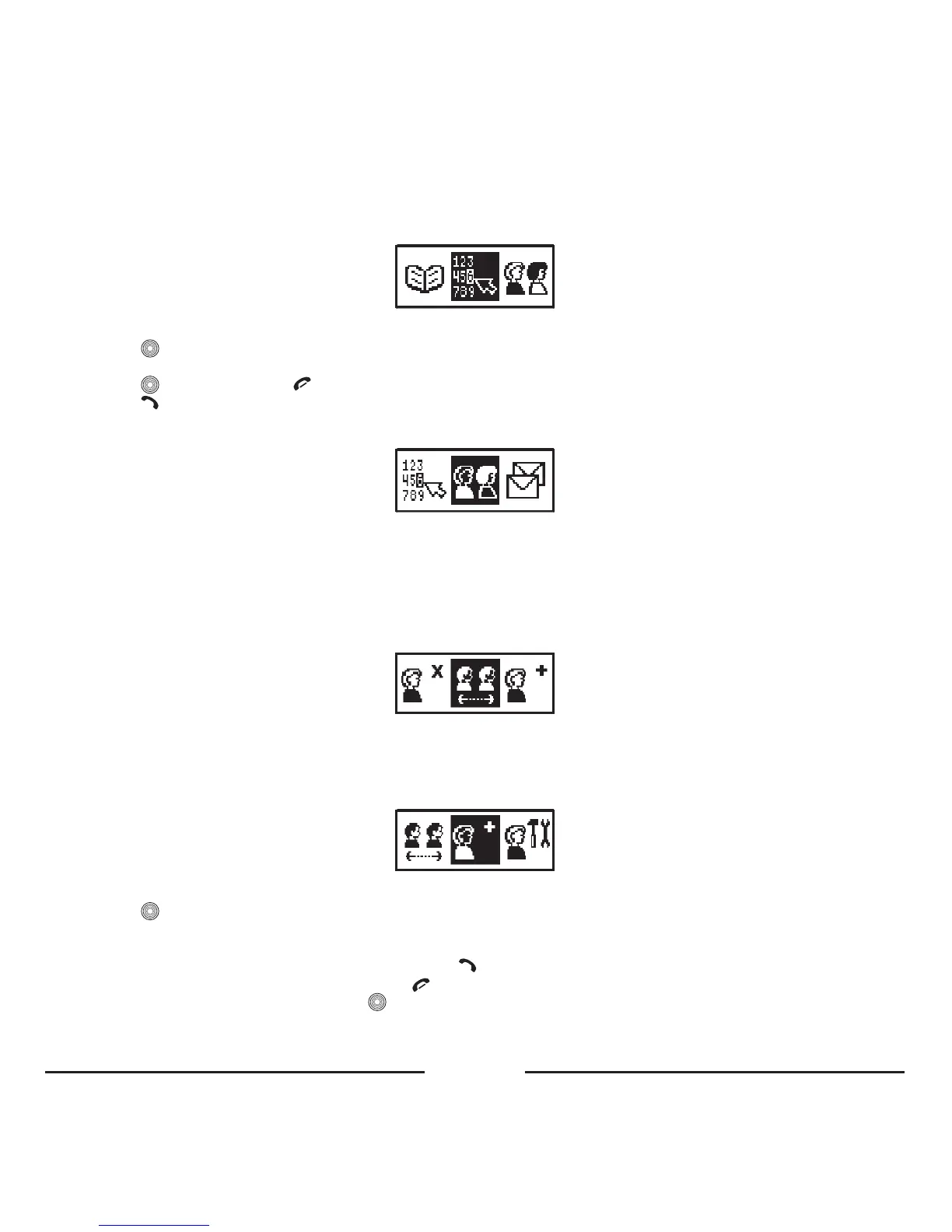
3. LCD KEYPAD
ByusingtheLCDkeypadandthecentralbuttonyoucandialoutanynumber.
• Press toopenthemenu.
• Turnthecentralbuttontotheleftortherighttomoveandchooseadigitonthedisplay.
• Press toconfirmorpress todeleteadigit.
• Press todialthenumber.
4. PROFILES
Themaximumquantityofuserprofilesisfour.Everyusercancopyandkeepinthecarkitmemoryhisphonebook,calllist
andconfigurationsettingsofthedevice.ThenameofeachprofileisidentifiedaccordingtotheBluetooth
®
nameofthe
correspondingmobilephone.Ifnophoneispairedwiththecarkit,thepairingoperationhastobedonefirst.
Assoonasthecarkitisswitchedon,thelatestprofileisactivatedautomaticallyandthecarkitismakinganattemptto
connectwiththecorrespondingphone.Ifthelastpairedphoneisnotfound,thecarkitwillswitchtoStandbymode.
4. 1. Select
Usethisitemtoselectthenecessaryprofilebynametoactivateit.Thisitemisonlyavailablewhenvariousprofileshave
beencreated.IfthenecessaryprofileisprotectedbyaPINcode,thedigitalkeypadwillappearandyouhavetoenterthe
PINcodeaccordingly(upto4digits).IfthePINcodeiscorrect,youwillgetaccesstoyourphonebookandsettings.
4. 2. Add
Usethisitemtocreateanewprofile.
• Press
toopenthemenu.
• Assoonasthisitemisselected,theBlueCompactwillaskyoutoenterthePINcodeforthenewprofileandthedigital
keypadwillappear.
• YoucanenterthePINcode(upto4digits)andpress
toconfirm.
• IfyoudecidenottouseaPINcode,justpress .
• Toactivatethepairingprocedure,press
andpairyourmobilephoneaccordingtotheinstructions.
• ThenameoftheprofileisidenticaltotheBluetooth
®
nameofyourmobilephone.
• Ifthepairingprocedurepassedsuccessfully,thecarkitisconnectedtoyourphoneautomatically.









 To Next Page