GB - 18
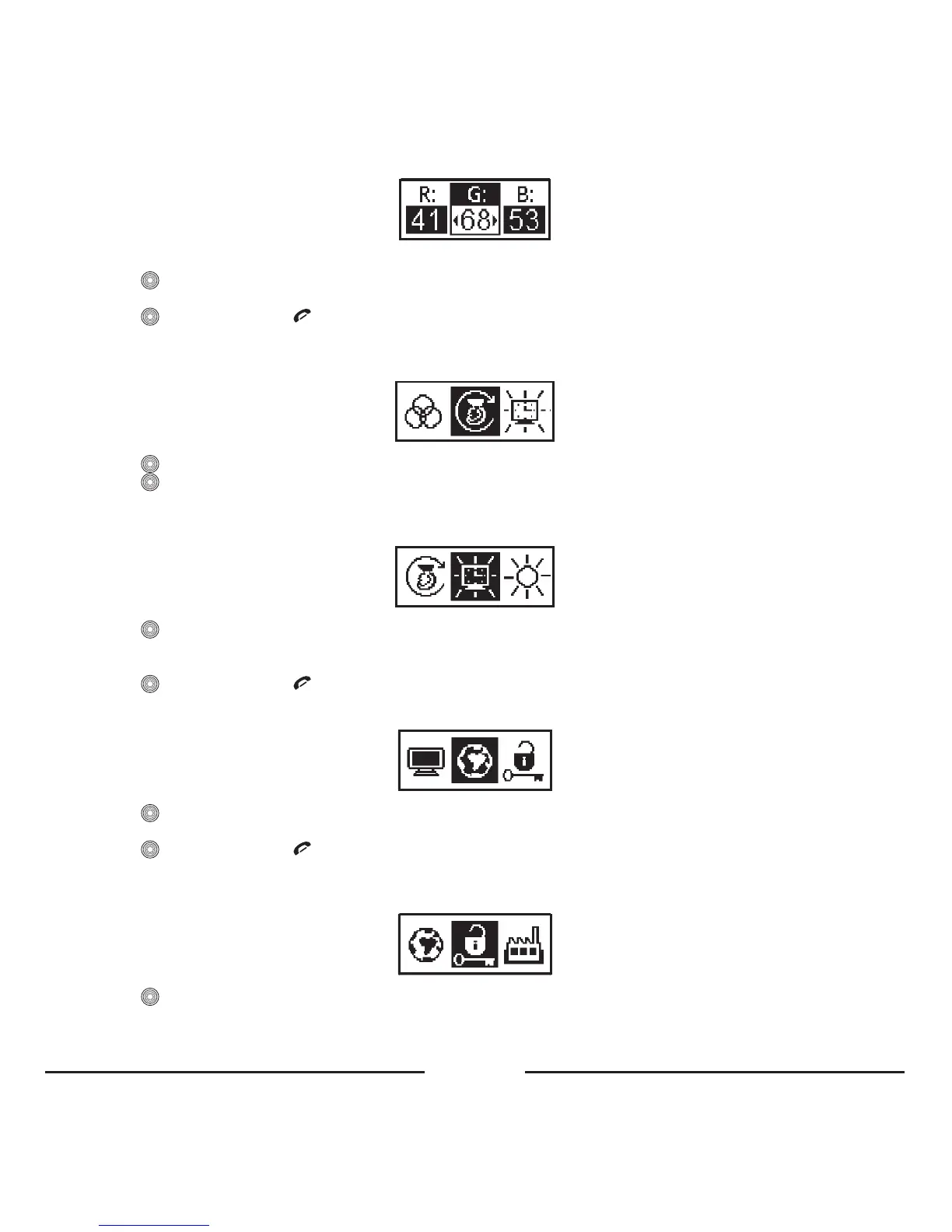
• Turnthecentralbuttontotheleftortherighttochoosethedesiredcolorfortuning:R,GorB.
• Press toactivate.
• Turnthecentralbuttontotheleftortherighttotunethelevelofthedesirablecolor.
• Press toconfirmorpress torestoretheprevioussettingofthecolor.
4. 3. 3. 4. Rotate screen
Formountinginupsidedownposition,youcanrotatethescreen.
• Press toopenthemenu.
• Press
toconfirm.
4. 3. 3. 5. Backlight off time
Choosethismenuitemtosetthetimeafterwhichthebacklightwillbeswitchedoff.
• Press toopenthemenu.
• Turnthecentralbuttontotheleftortherighttosetthetimer.Ifyouchoose“Always on”,thebacklightwillnotbe
switchedoff.Timerstepsare10seconds,maximumis1minute.
• Press toconfirmorpress torestoretheprevioussettingandexitthemenu.
4. 3. 4. Language
• Press toopenthemenu.
• Chooseoneoftheavailablelanguages(English,Russian,Dutch…).
• Press toconfirmorpress torestoretheprevioussettingandexitthemenu.
4. 3. 5. Security
ChoosethismenuitemtoactivateordeactivatethesecurityPINcodeforthecurrentprofile.
• Press toopenthemenu.
• Thedigitalkeypadwillappear.
• EnterthePINcodebyturningthecentralbuttontotheleftortherighttoselectdigits.









 To Next Page