GB - 19
• Press toconfirmyourchoice.Theselecteddigitswillappearonthetoppartofthedisplay.
• Todeleteanincorrectdigit,press .
• Press toconfirmthePINcode.
Note:
If you don’t want to enter the secure PIN code, you should not enter the code. Just press the button or clear all
digits to deactivate the code. Press to confirm.
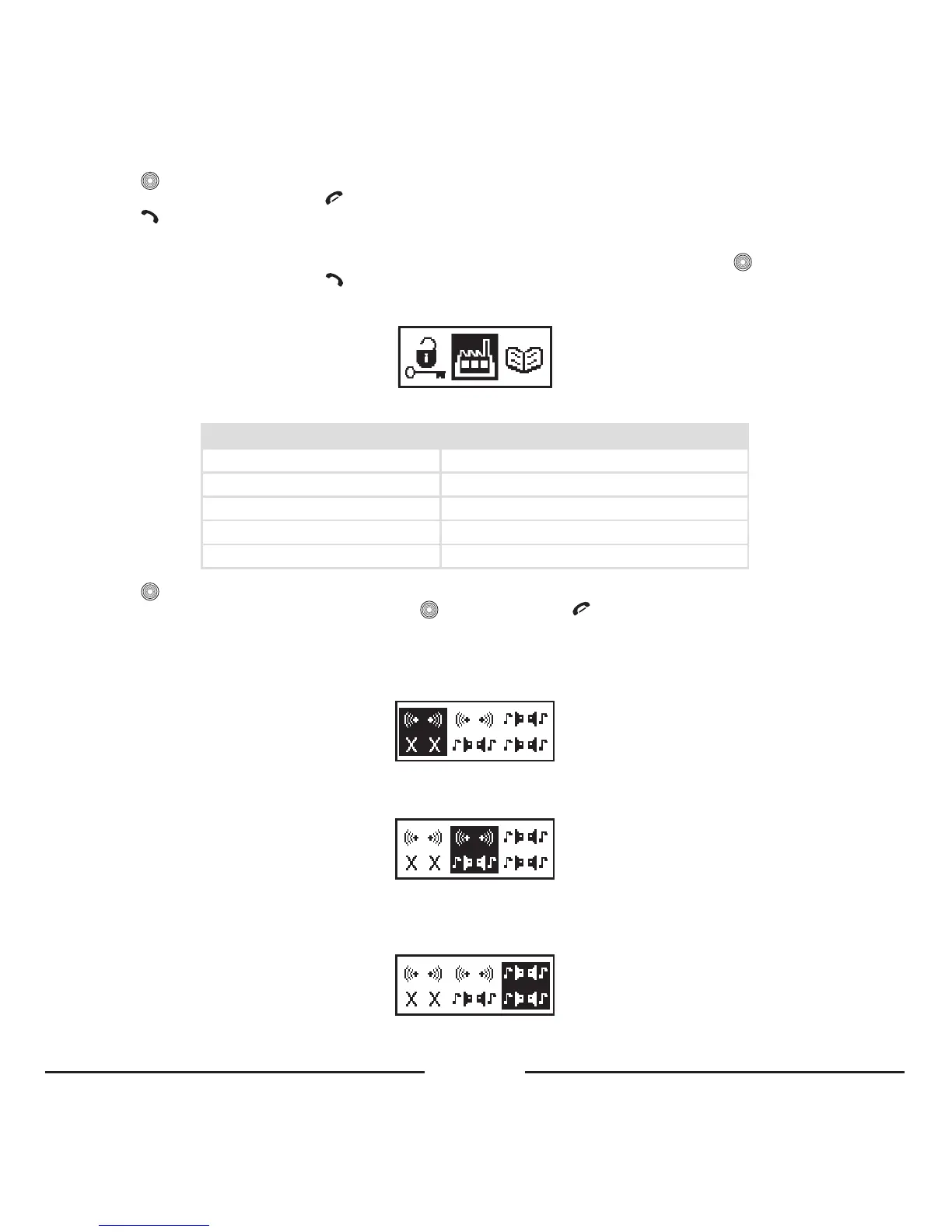
4. 3. 6. Set default
WiththisitemyoucanrestorethefactorysettingsoftheBlueCompact.
Parameter Value
Brightness 15/15(max)
Contrast 8/15(mid)
BacklightColor
White
Language English
Backlightofftime Alwayson
• Press
toopenthemenu.
• “Set default?”willappearonthedisplay.Press toconfirmorpress tocancel.
4. 3. 7. Mute
Selectthisitemtohavethesoundofyourcarkit(withISOcableorProMusic100cable)atthe2frontspeakers.Therear
speakerswillbemuted.
Selectthisitemtohavethesoundofyourcarkit(withISOcableorProMusic100cable)atthe2frontspeakers.Themusic
willremainattherearspeakers.
Selectthisitemtohavethesoundofyourcarkit(withISOcableorProMusic100cable)overyourcarkitspeakers.Your
carspeakerswillnotbemuted.









 To Next Page