ADJUSTMENTS (continued)
SET-UP INSTRUCTIONS:
Eight Output Setup
1. Equipment needed:
a. Two TCIB cards
b. HyperTerminal (this can be downloaded from our website or elsewhere on the
Internet)
c. One RS232 Dongle (this connects the laptop to the TCIB)
d. A powered rack
e. A laptop or desktop computer
f. One RS232 jumper cable male to male null modem type
2. HyperTerminal settings are 115, 200, 8, N, 1.
3. Connect the RS232 Dongle.
4. Engage HyperTerminal.
5. Power on the Rack and the TCIB boards.
6. HyperTerminal will display messages; one will show the software version of the
TCIB. Software version must be 1.3S or higher to enable new features.
7. Select Type. Enter Primary or Secondary and the TCIB will begin programming.
Once finished, mark each card as either a Primary or Secondary.
Note: All TCIB are shipped as Primary.
8. Connect the Primary TCIB to Secondary TCIB with the RS232 jumper cable
provided.
9. Power the INTERSECTOR that will be using the 8-Output system.
10. At the main screen, confirm the software version of the INTERSECTOR is 1.9S or
higher, to enable the new feature.
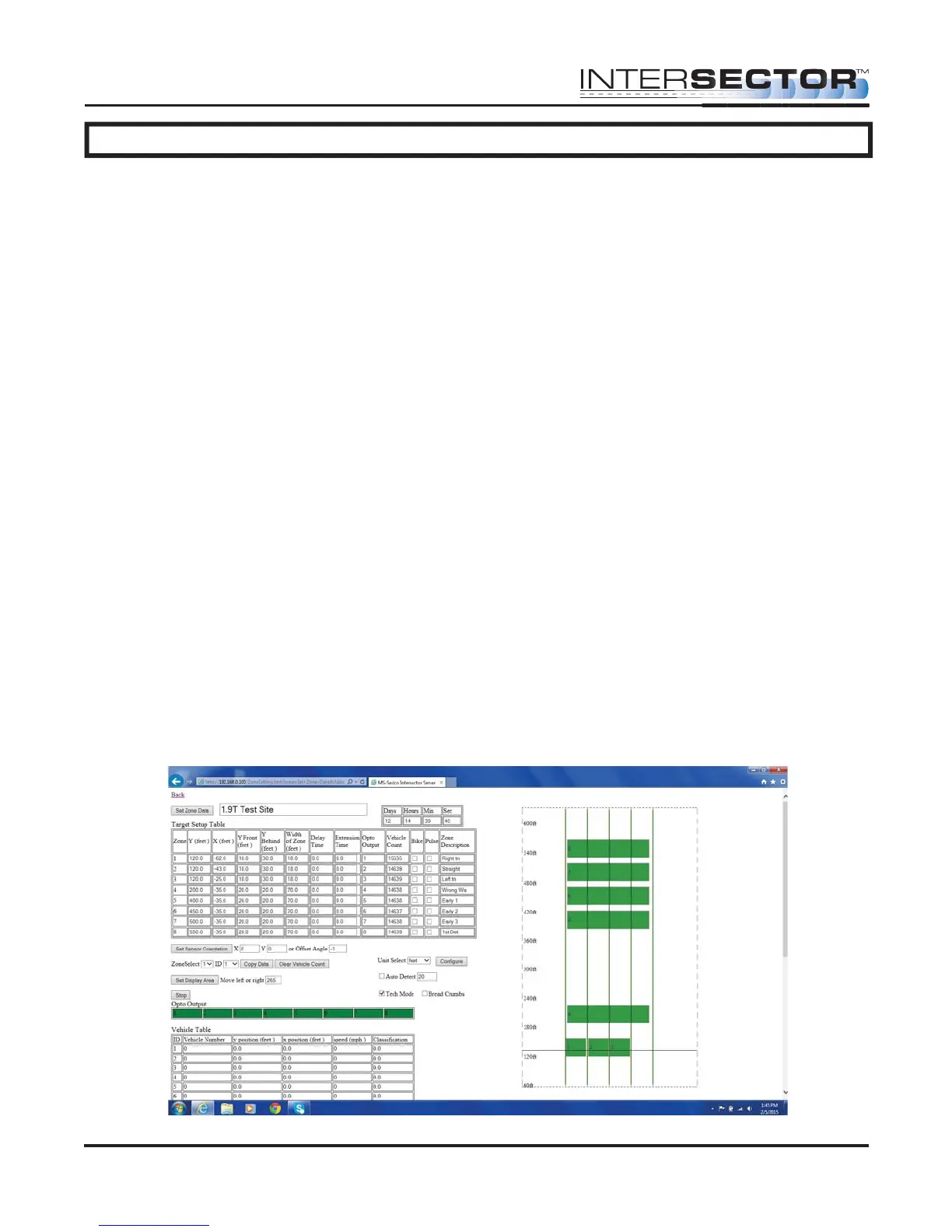
11. Select Zone Settings.
12. Configure zones 1-8.
INTERSECTOR
Microwave Motion and
Presence Sensor Installation Instructions
MS Sedco INTERSECTOR Installation Instructions Page 20 INTERSECTOR-1.9Uv092717



 To Next Page