ADJUSTMENTS (continued)
Tail Extensions Setup
1. Equipment needed: None
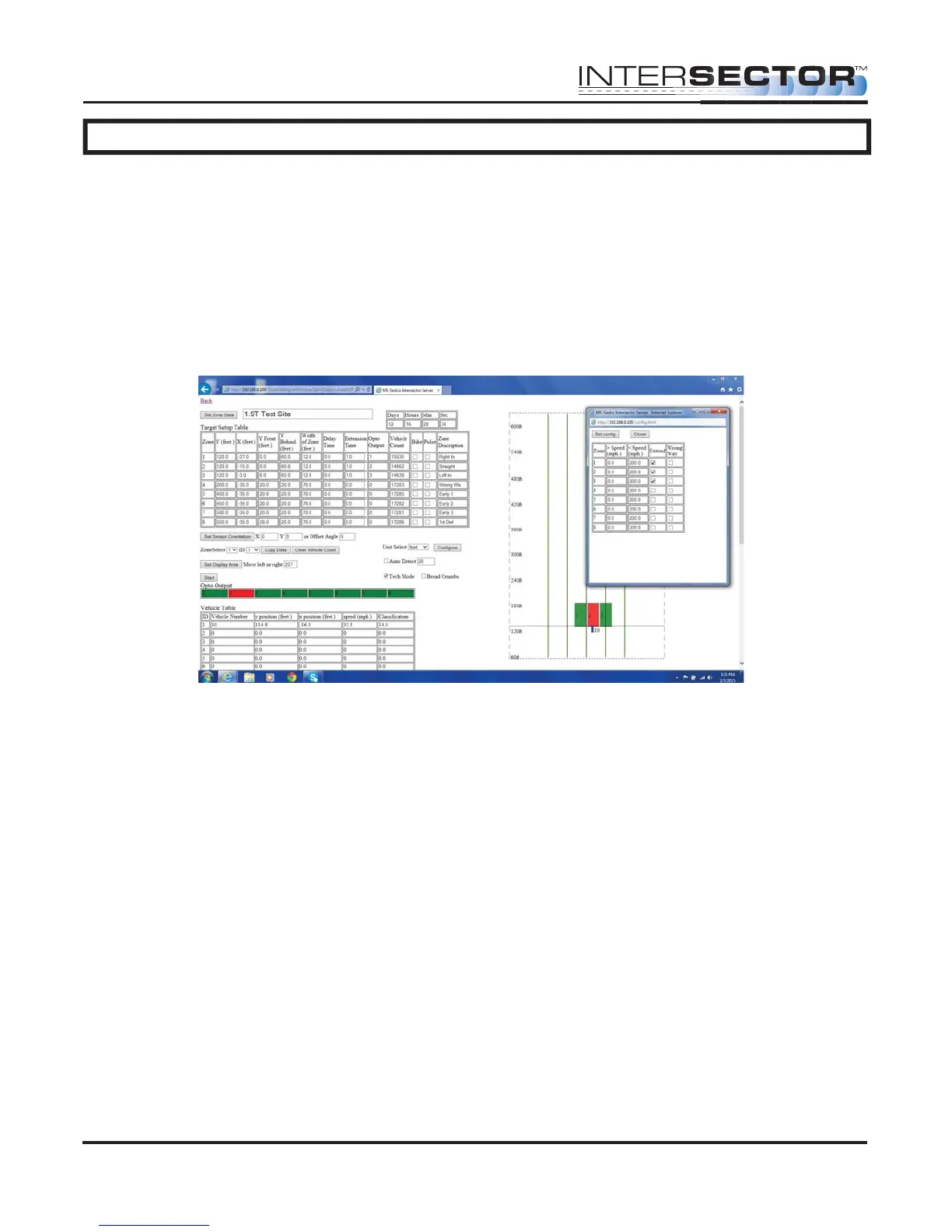
2. Once the INTERSECTOR is in Setup Mode, proceed to Zone Settings. Set up the
zones where extension is needed (generally the right turn and stop bar lanes).
3. Start the configure format by selecting Configure.
4. While in configure, check the Extend box for each required zone.
5. Once all zones needing extension are selected, click on Set Configure.
6. Watch the zones to verify proper operation.
7. Return to Operational Mode.
Collision Avoidance and Speed Bin Setup
1. Equipment needed: None
2. With the INTERSECTOR in Setup Mode, proceed to Zone Settings. Set up the zones
where Collision Avoidance or Speed Bin is needed (generally these will be set behind
the stop bar zones).
3. Start the configure format by selecting Configure.
4. While in configure, enter values for minimum and maximum speeds for each zone
being used as a Speed Bin for Collision Avoidance. Once all speed ranges have
been set, click on Set Configure.
5. Watch the zones to verify proper operation.
6. Return to Operational Mode.
INTERSECTOR
Microwave Motion and
Presence Sensor Installation Instructions
MS Sedco INTERSECTOR Installation Instructions Page 21 INTERSECTOR-1.9Uv092717



 To Next Page