Universal digital repeater
DR-209M
Page 17
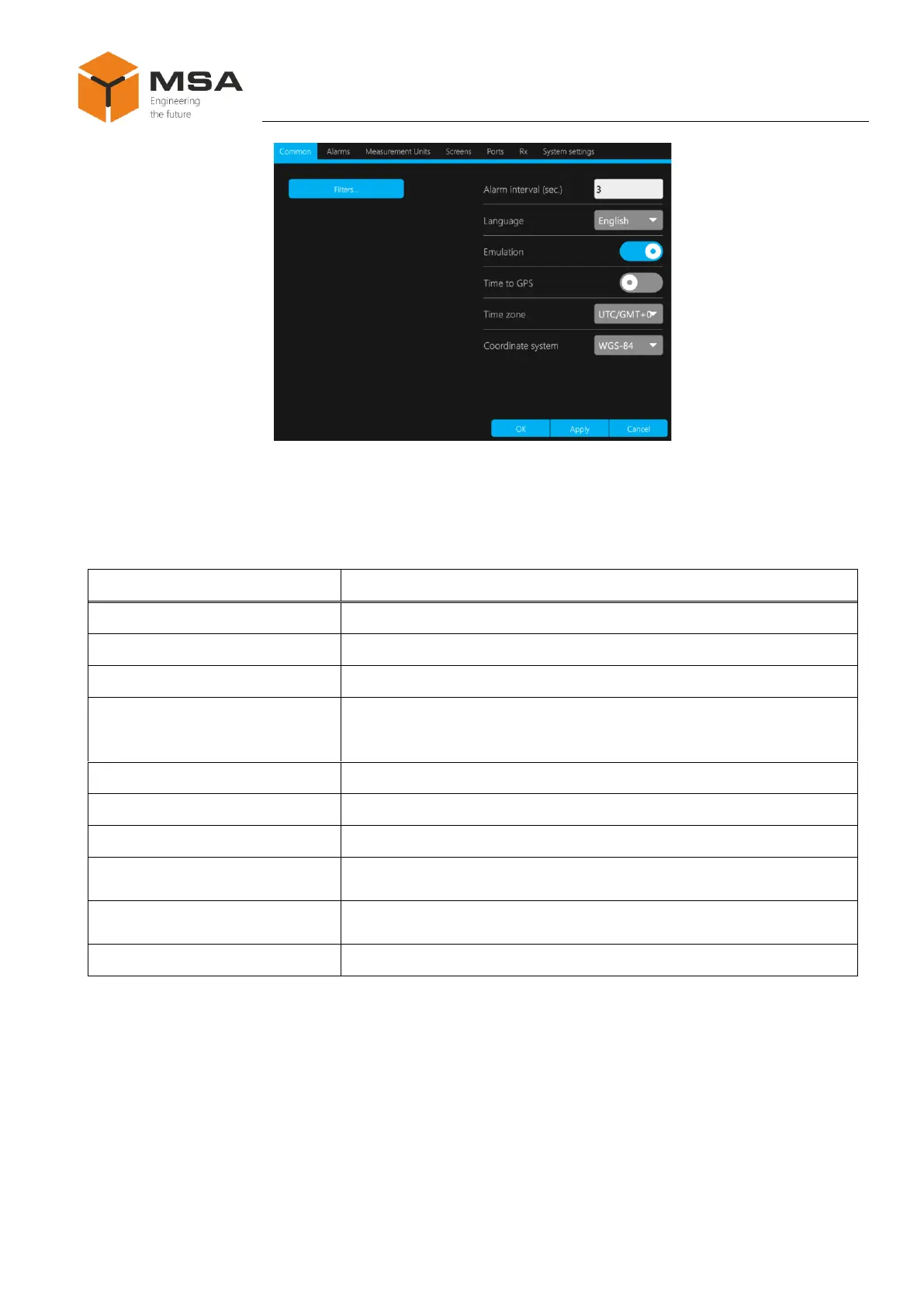
Figure 9 – Tab page Common
The following controls are located in the tab page Common, see Table 7.
Table 7 – Tab page Common
To apply (save) the selected settings
To cancel the selected settings
To set up a time interval, during which displayed data are valid; if
setting up a filter – time interval, during which average values are
displayed
To select the language (for displayed parameters)
To switch on/off emulation mode
To set up GMT time (by data received from a satellite)
To switch on a filter for average value output of the required pa-
rameter
To select a time zone (world coordinate time (average time) GMT
time, correction for time zone)
To select system of coordinates depending on the tasks
If Time to GPS is on, displayed time is automatically corrected and presented in
true time UTC (GMT).
Alarm interval indicates a time interval during which the displayed data are valid.
As soon as the interval expires, the data will not be displayed and take a view of
« – – – ».
Once an averaged value filter Filter is switched on, a screen to edit parameters,
required for average values display, is opened, see Figure 10.



 To Next Page