Page 32
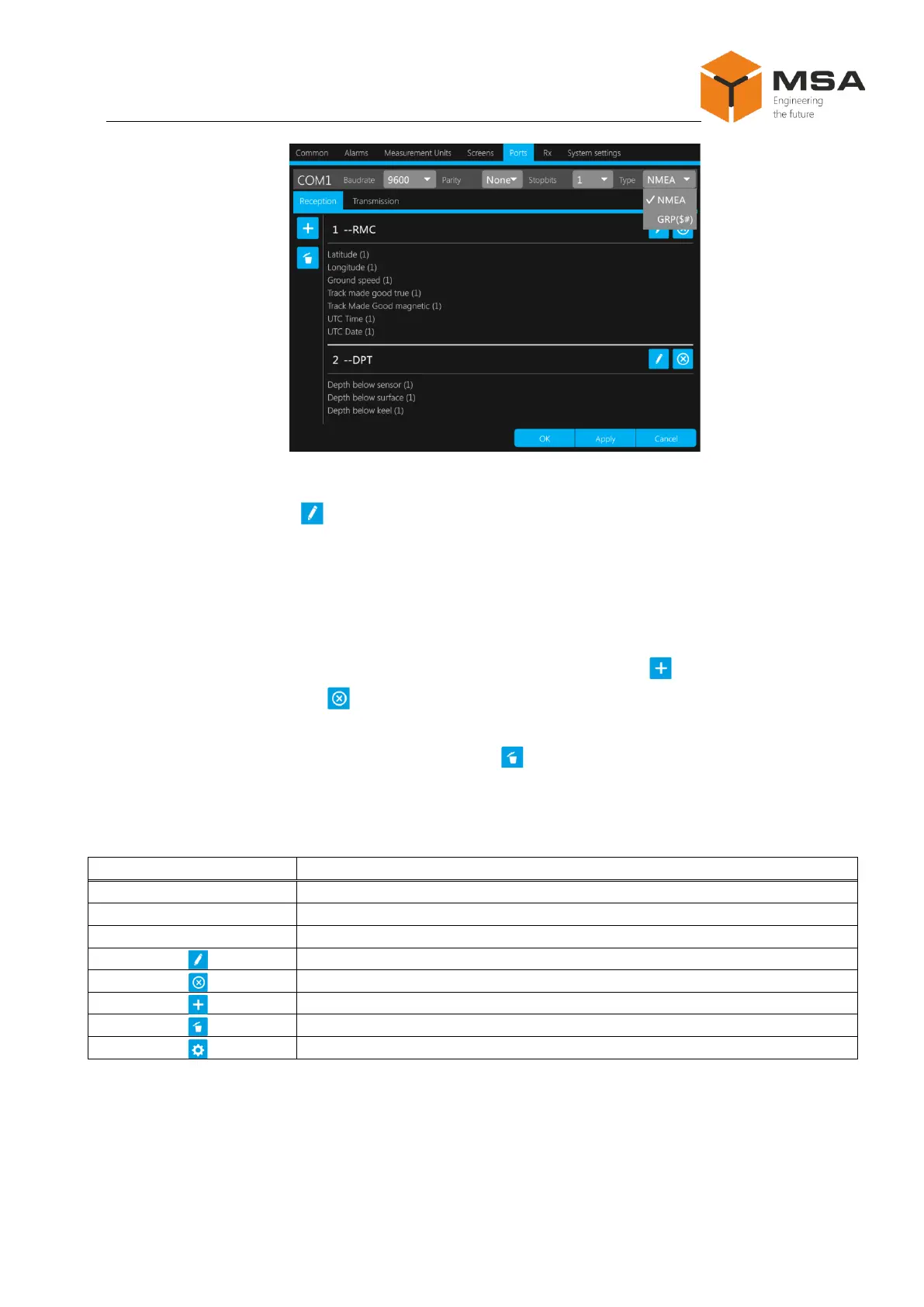
Figure 24 – Settings of ports
Once you press « » in Receiving – you open the menu to edit a sentence received
by this port. Provide all required sentence settings, see cl. 2.3.13.2 and Figure 24, press
«ОК» and continue with editing the new sentence.
To configure continuous data transmission, provide the above mentioned settings
for all NMEA sentences, herewith all received sentences by each port shall be in accord-
ance with Appendix A in full. To add NMEA sentences, press « ».To configure selec-
tive data reception, press « ». Using this button the user can remove all NMEA sen-
tences, which are excluded from selective data reception or transmission. To remove all
NMEA sentences, received by this port, press « ».
The controls of tab page Ports are represented in Table 20.
Table 20 – The controls of tab page Ports



 To Next Page