5 Connecting to the BACnet Router
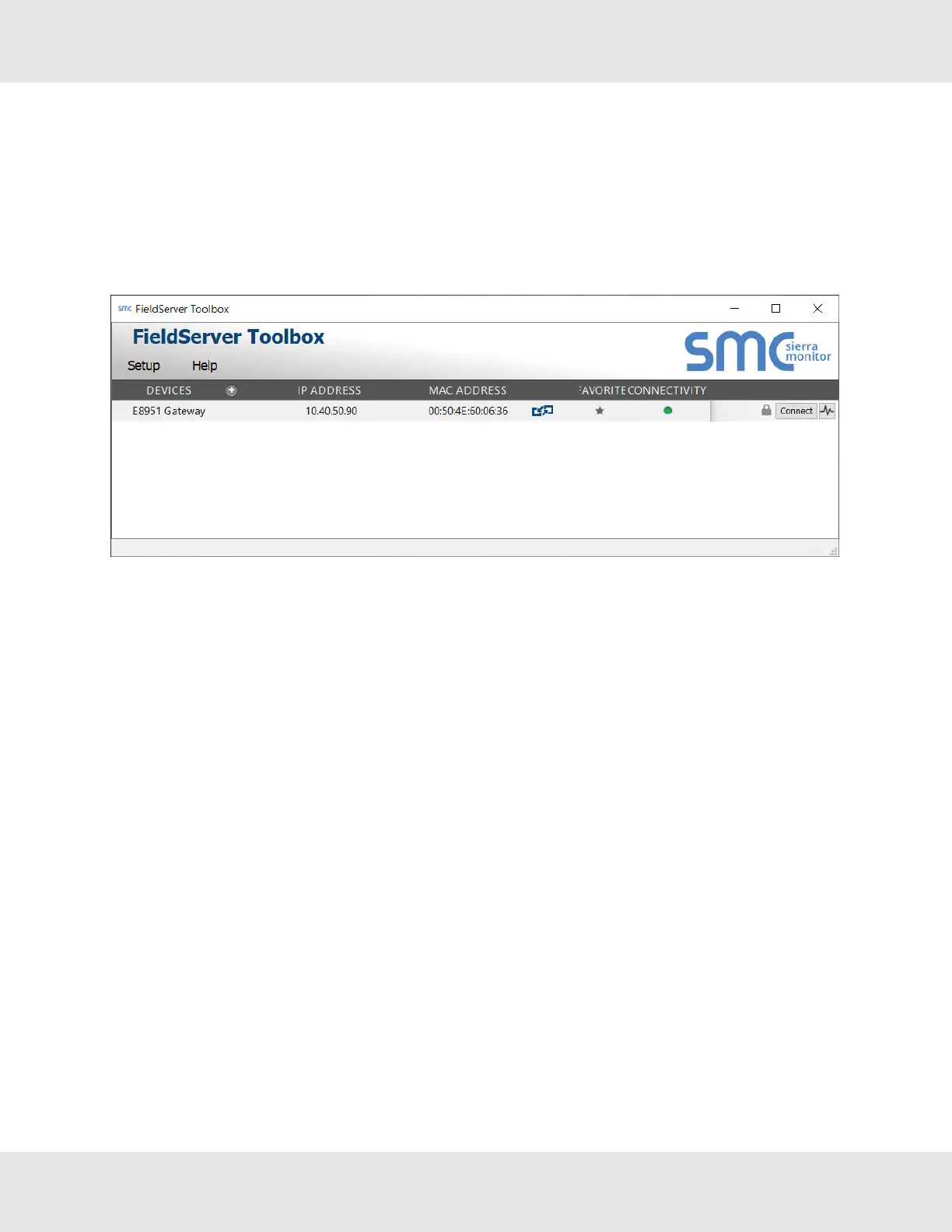
5.1 Using the FieldServer Toolbox to Discover and Connect to the BACnet Router
• Install the Toolbox application from the USB drive or download it from the MSA Safety website.
• Use the FS Toolbox application to find the BACnet Router and launch the FS-GUI.
NOTE:If the connect button is greyed out, the BACnet Router’s IP Address must be set to be on the same
network as the PC. (Section 5.2 Using a Web Browser)
5.2 Using a Web Browser
• Open a web browser and connect to the BACnet Router’s default IP Address. The default IP Address of the FieldServer
is 192.168.2.101, Subnet Mask is 255.255.255.0.
• If the PC and the BACnet Router are on different IP networks, assign a static IP Address to the PC on the 192.168.2.X
network.
NOTE: Check Section 11.4 Internet Browser Software Support for supported browsers.
BACnet Router Start-up Guide 11


 To Next Page